
Knowledge
Preparing a Teachers' Day 20/11 appreciation ceremony: from invitation to thank-you
A thoughtful 20/11 teachers' appreciation ceremony should start about 3 weeks before the day: finalize the teacher list, send invitations with a QR code and an attendance-confirmation button, remind those who have not replied, then welcome everyone with a welcome screen showing each person's name. With Tickmi, an alumni committee or a school can run this whole chain on one attendee list, from the invitation to the thank-you email after the ceremony.
Preparation timeline for a 20/11 appreciation ceremony
A 20/11 appreciation ceremony should be prepared in 6 milestones, starting from T-21 (21 days before the day). In 2026, 20/11 falls on a Friday, so many alumni associations will choose Friday evening or the weekend right after. The table below is a suggested schedule; shift the milestones to your actual ceremony date.
| Milestone | Main tasks | Expected result |
|---|---|---|
| T-21 | Fix the date, time, venue and people in charge; build the list of teachers and alumni | One single list file with an email or phone number column |
| T-14 | Design the invitation, import the list, issue tickets and send invitations with a confirmation button | One QR ticket per person |
| T-14 to T-4 | Track responses, call teachers who have not replied | An approximate attendee count |
| T-3 | Confirmation deadline; finalize gifts, meals, tables and chairs | The final numbers |
| T-1 | Test check-in, the welcome screen and the lucky draw | Every screen works, test draws deleted |
| Event day | Welcome guests, main program, mingling segment | The list of people who attended |
| T+1 to T+2 | Send thank-you emails and memory photos | Thanks reach exactly the people who came |
Building the list of teachers and alumni for a 20/11 ceremony
The list is the most laborious part of a 20/11 ceremony, because contact details of retired teachers or teachers who changed schools are often lost. Assign one point of contact per class and collect everything into one shared file before the T-14 milestone.
In Tickmi, you create one ticket product for the ceremony, then click Add ticket type to separate the groups, for example "Teachers", "Alumni", "Guests". Each ticket type has its own ticket template and email template, so the email to teachers can be more formal than the one to classmates. Add your own fields with Create new field, such as "Class year" or "Homeroom class" of type Choice list, so you can filter later and show them on the welcome screen.
For teachers, also record a phone number and notes such as needing someone to pick them up or coming with family.
When importing with Import attendees (Excel) or Import from Google Sheet, note that an import file only adds new people and does not update existing ones. Detailed steps are in the attendee management guide.
Sending QR invitations and attendance confirmation for the 20/11 ceremony
A 20/11 invitation should both send the QR entry ticket and ask teachers whether they can come. Tickmi combines the two in one email with the Confirmation link button in the email template.
- In the email template, add the Confirmation link element. You can also ask "Number of accompanying people" with an information field.
- In the Tickets tab, set the Attendance confirmation deadline to the T-3 milestone.
- Click Approve all to issue tickets. Each person receives their own QR ticket, with the confirmation button in the email.
- Open Invitation & reminder settings, turn on Automatically remind people who have not responded and choose the reminder milestones before the deadline.
- If teachers reply by phone, open Update attendance confirmation on that ticket and record it on their behalf.
Tickmi does not schedule sending: the email goes out as soon as you approve. For older teachers who do not use email, select the tickets in the Tickets tab and click Print ticket to make a paper invitation, then hand it over in person; use Download all QR if you are sending to a print shop. The full confirmation steps are in the attendance confirmation guide, and how to choose the code type for invitations is in the article on making invitations with a QR code.
Welcoming teachers on the day of the ceremony
The teachers' reception desk needs to be fast and the welcome screen needs to call people by the right name. Set up a separate lane for teachers, with someone from the alumni committee standing by to greet them.
- Scanning tickets: volunteers use the Tickmi Studio app with the Check-in staff role, which can only scan tickets and cannot view or edit the list.
- Forgotten ticket: look up the name in the attendee list and click Mark as checked in; do not make teachers open their email at the door.
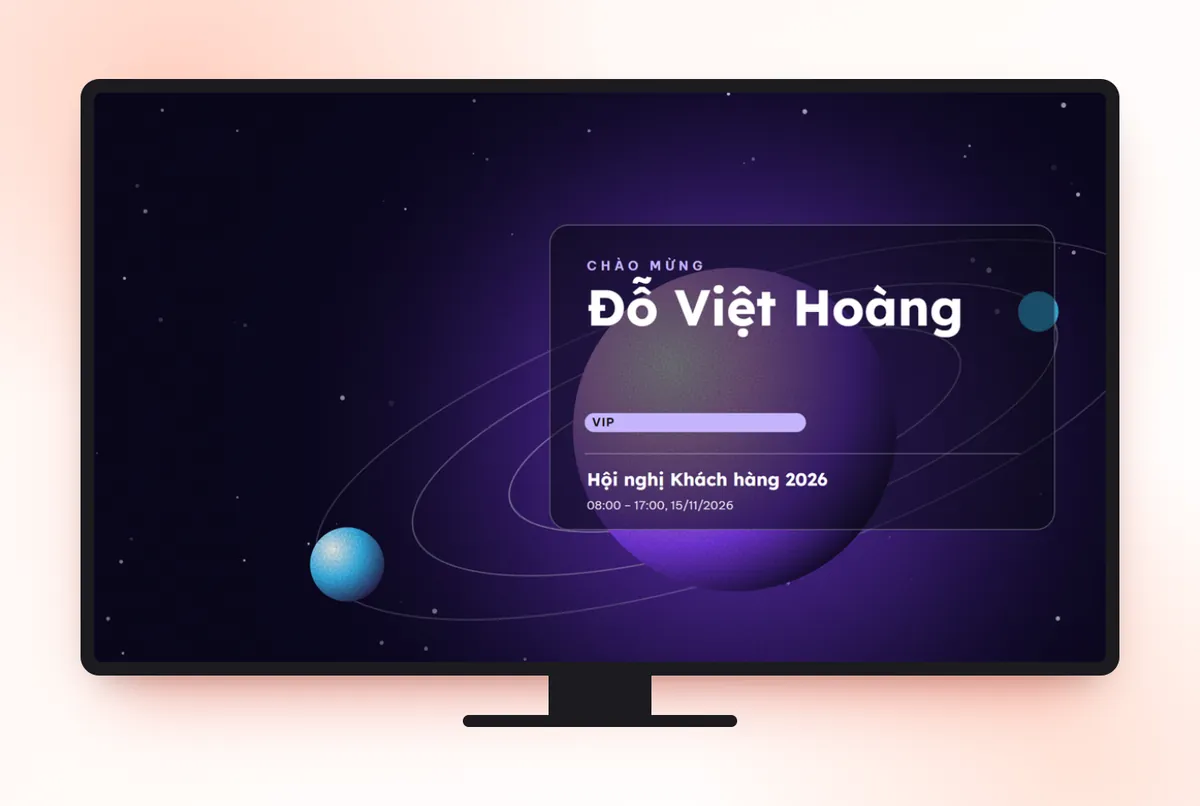
- Welcome screen: go to Check-in → Welcome screen → Create new screen, choose a template that fits the projector format and set a greeting with the subject taught or the class year. Reduce Display time per person when many people arrive at the same time.
Tickmi does not have a seating chart; if needed, record the table number in an information field. How to build the screen step by step is in the welcome screen guide.
Keep the lucky draw and polls light at a 20/11 ceremony
The mingling segment of a 20/11 ceremony should be warm, not turn the ceremony into a game show. The principle: gifts of appreciation for teachers are handed over in person, and the lucky draw is only for alumni.
- Lucky draw: in Lucky draw, click Add prize, set Who can draw to Checked in so only people present can win, then click Live draw. After the test run, click Delete all trial draws.
- Polls: a fun question like "What is our class's most memorable moment?", opened with a QR code on the screen.
- No account needed: if you only need to draw from a list of names, Tickmi's free lucky draw tool works right away, with no registration.
The rules and how to handle absent winners are in the article on transparent lucky draws. How to open a poll with a public link is in the guide to polls, quizzes, surveys and feedback.
Thank-you email after the 20/11 ceremony
The thank-you email should go out within 1–2 days after the ceremony. In Tickmi, the Feedback section has a Send thank-you email button, which sends to attendees who have checked in and have an email, with a link for them to rate the ceremony. Each click is one send to all eligible people, so click it only once.
The email should include a personal thank-you to the teachers, a link to the photo album and an invitation for next year. Wording ideas are in the article on thank-you emails and post-event surveys. If the alumni committee needs to save the list to run it again next year, the Owner or an Administrator clicks Export data.
Common mistakes when organizing a 20/11 ceremony
| Mistake | Consequence | How to avoid it |
|---|---|---|
| Sending invitations too close to the day | Teachers have already accepted another school's or another class's invitation | Send from T-14, invite teachers before classmates |
| Only emailing older teachers | The email sits in an inbox nobody opens | Print paper invitations and follow up with a call |
| Re-importing the whole file to fix a phone number | Tickmi only adds new people, it does not fix existing ones | Edit directly on the attendee |
| Putting teachers on the lucky draw list | Appreciation gifts depend on luck, which can be awkward | Hand over appreciation gifts separately, draw only for alumni |
| Not testing the projector | The welcome screen fails right when the teachers arrive | Test at T-1 with a real ticket |
How is a 20/11 ceremony priced on Tickmi?
A 20/11 ceremony does not sell tickets, so Tickmi has two suitable pricing options. The per-event package is for programs that do not sell tickets, such as invitation or free-registration events: you choose by the maximum number of attendees, the package already includes the matching ticket issuance quota and applies to 01 ticket product. The quota package is pay-per-ticket-issuance, and the quota does not expire. New accounts get 100 free ticket issuance quota; see the details on the pricing page. An overview of issuing and sending invitations is on the QR invitation tickets page; if your school also runs camps or opening ceremonies, see tickets and check-in for schools.
About Tickmi
Tickmi is a ticketing and attendee experience platform (Ticketing & Participant Experience Platform). On one unified set of attendee data, Tickmi connects the whole journey: issuing invitation tickets, registration tickets and paid tickets, sending branded QR tickets, checking in by app, kiosk or scanner — even when the network is down — and then the welcome screen, lucky draw, polls, quizzes and surveys. Tickmi is trusted by organizations such as Viettel, VNPT, MobiFone, FPT and CMC. Learn about Tickmi or try it free.
Frequently asked questions
When should I start preparing a 20/11 teachers' appreciation ceremony?
Start about 3 weeks before the day: finalize the list at T-21, send invitations at T-14, set the confirmation deadline at T-3 and run a test at T-1. Sending invitations early gives teachers time to arrange their schedules.
How do I know which teachers will attend the ceremony?
Place the Confirmation link button in the Tickmi invitation. Teachers click I will attend or Cannot attend; people who have not replied are reminded automatically before the deadline, and the organizers can record on their behalf when teachers reply by phone.
How do I send invitations to older teachers who do not use email?
Print the ticket as a paper invitation with the Print ticket button in the Tickets tab and hand it over in person. The QR code printed on paper scans just like on a phone; at the door, staff can also look up the name and mark the person as checked in.
Should I run a lucky draw at a 20/11 ceremony?
You can, but keep it light: gifts for teachers are handed over directly, and the draw is for checked-in alumni. If you only need to draw from a list of names, the free lucky draw tool at tickmi.com/lucky-draw works right away, with no registration.
Does Tickmi schedule invitation sending or arrange seating for a 20/11 ceremony?
No. Invitations are sent as soon as you approve to issue tickets, and Tickmi does not have a seating chart. You can record the table number in an information field of the attendee.
Is organizing a 20/11 ceremony on Tickmi free?
New accounts get 100 free ticket issuance quota, enough to try a small gathering. Larger events can choose the per-event package or the quota package; see the Tickmi pricing page for details.
Issue QR tickets, send emails, check in and engage attendees on one platform.