Tickmi Ticket — tickets in a few taps
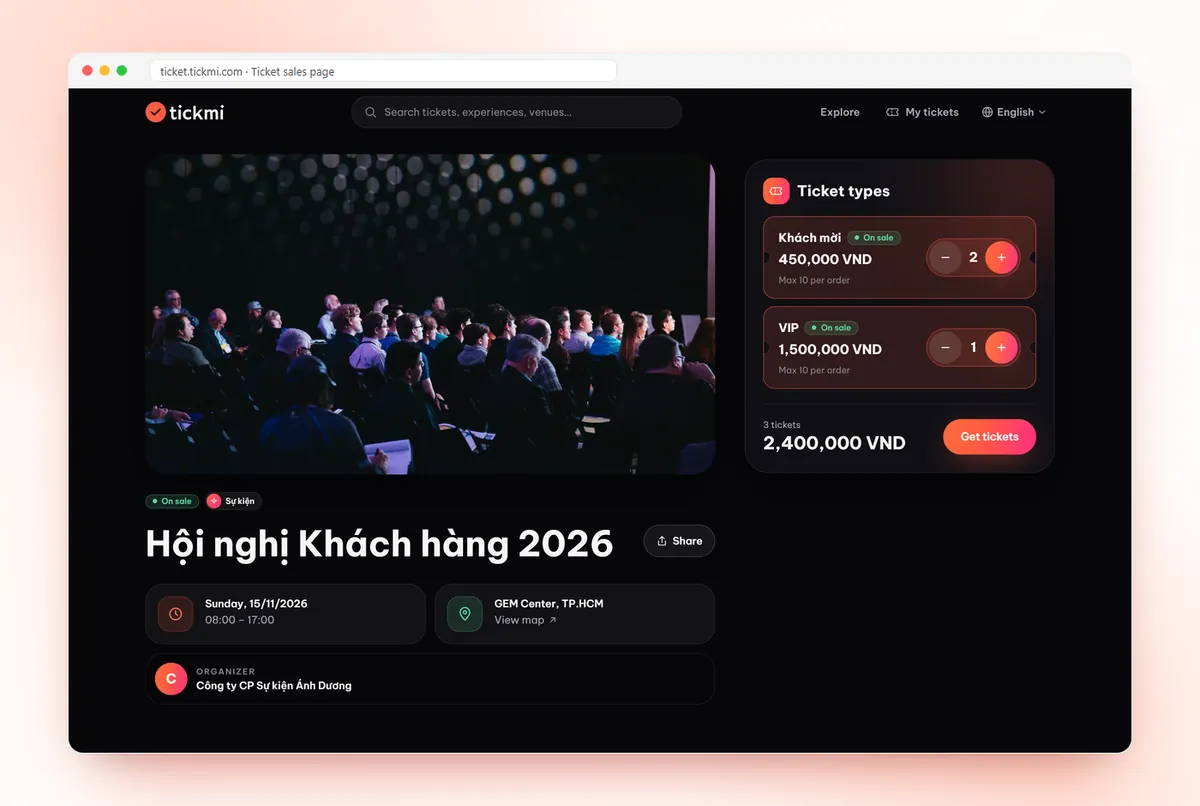
Pick your ticket, pay securely and get your e-ticket by email instantly, ready for QR check-in.
- Secure online payment
- Instant QR e-tickets by email
- Look up and manage your tickets
- Fast QR check-in

Ticketing · Check-in · Engagement
From receiving or buying a ticket, check-in and badge printing to welcome screens, lucky draws, polls, quizzes, surveys and digital cards — Tickmi connects the whole participant journey in one system.
Pick your ticket, pay securely and get your e-ticket by email instantly, ready for QR check-in.
Create and issue tickets, manage attendees, design tickets, emails, registration pages, tags and badges, check in with the app, a kiosk or a barcode scanner, plus a full set of engagement tools.
Create a ticket product, send QR tickets, check in in one second, welcome screens, live polls and a lucky draw — the whole participant journey in one video.
29 features in 6 groups, sharing one attendee dataset — no need to stitch separate tools together.
Create ticket products, invite or open registration, manage attendee lists.
See detailsInvitation lists, registration and paid tickets in one ticket product, with multiple ticket types.
Branded public registration pages with automatic, manual or bulk approval.
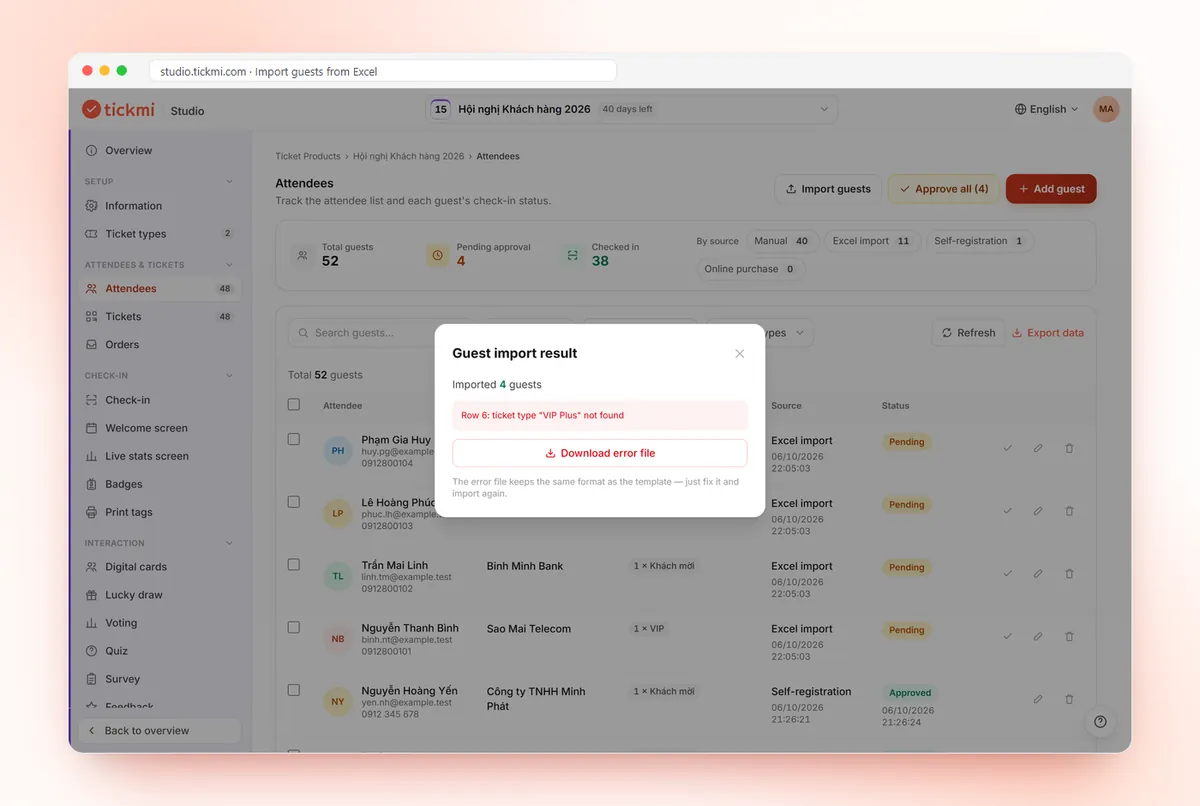
Add, search and import from Excel with row-level validation; define your own custom fields.
Generate QR codes and ticket files for thousands of attendees, download or print directly.
Set up sessions with time, venue and speakers for each ticket product.
Every attendee gets a ticket page: QR code, download, add to calendar, directions and a digital card.
Tickets and emails in your own branding, sent from your own domain.
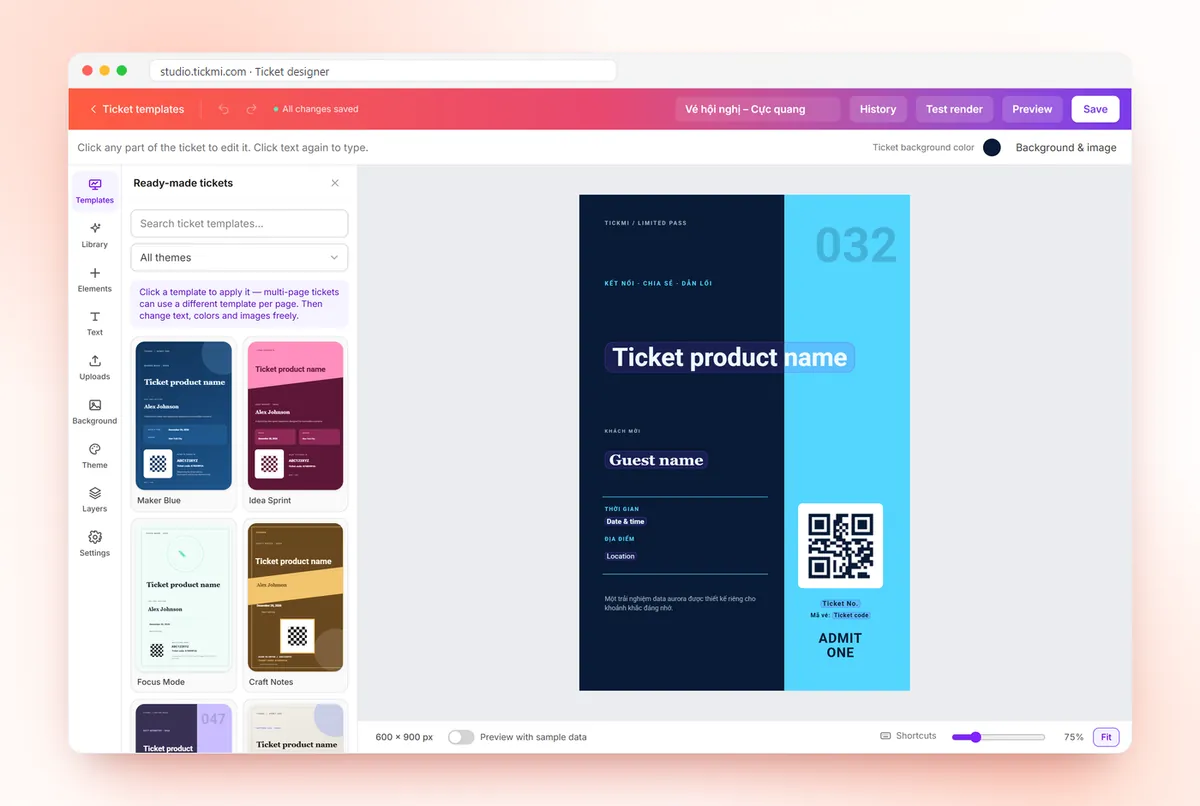
See detailsMulti-page designer with attendee data variables, Vietnamese fonts, images and QR codes.
Drag-and-drop blocks, reusable saved blocks, previews by device, mail client and dark mode.
Ready-made ticket, email and registration templates you can adapt in minutes.
Bulk-send tickets through your own mail server and track delivery and failures per person.
Label and two-sided badge templates in mm sizes with name, ticket type, QR and barcode; ready-made gallery.
Waiting room for high demand, safe ticket holds, online payment and OTP sign-in.
KPIs, charts by day and ticket type, order details and exports.
Transparent settlement periods, fee statements, confirm or dispute, payout accounts.
Receive buyer requests, approve, reject and track processing.
Scan QR, view attendee details and scan history; download data to check in offline and sync automatically.
Attendees scan their own ticket or enter a phone number at the kiosk, get greeted by name; the device is locked with a PIN.
Gate links for staff, search by name to check in manually, choose which fields to show or mask.
Print name tags the moment someone checks in via the Tickmi Print app, which remembers the printer and paper size — no print dialog every time.
Plug a USB scanner into a computer or kiosk and scan ticket QR codes and barcodes continuously.
Print two-sided badges per person, per ticket type or for the whole list; tile several on A4 with cut marks.
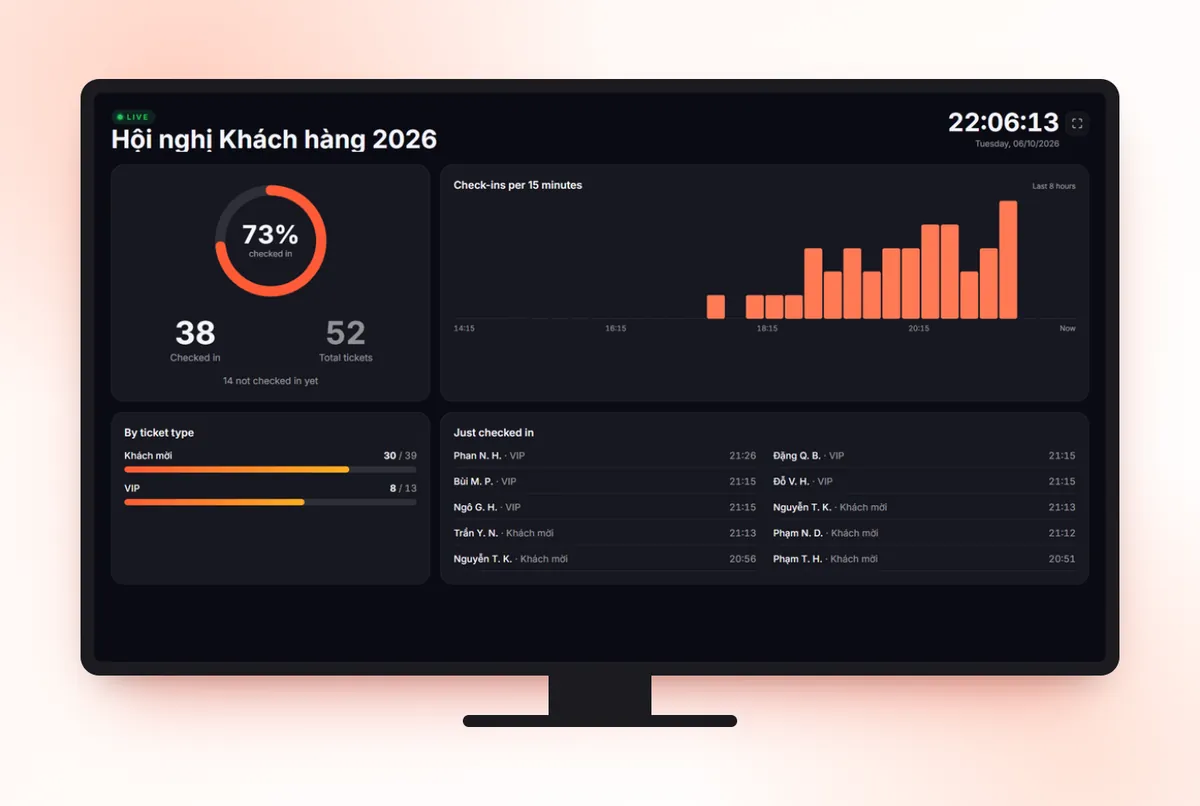
Project arrivals, attendance rate, a 15-minute chart and the latest check-ins, updating on its own.
Two big-screen highlights attendees remember.
Show the name and greeting of each person who checks in on an LED screen in real time. Pick from templates for landscape, portrait and LED walls, and run many screens at once.
Configure prizes and eligible attendees, then run a live stage show with effects, sound, your own layout and a winners history.
Attendees join from their phones, results appear instantly.
Attendees vote from their phones and results update on screen in real time.
Multiple-choice quizzes, player leaderboards and result exports.
Collect structured opinions with multiple question types, summarized automatically.
Star ratings and comments after the programme, with a satisfaction summary.
Attendees create their own card and choose what is public; others scan a QR code to save the contact. Consent-based and removable anytime.
Invitation, registration or online purchase
App, kiosk, scanner, tags & badges
Welcome, lucky draw, polls, digital cards
Surveys, feedback and reports
Organizers who haven't moved to Tickmi Studio yet can keep accessing and using the previous system as usual. When you're ready, the Tickmi team will help you migrate.
Tickmi (sometimes typed as Tickme or Tikmi) is a ticketing and participant experience platform: Tickmi Ticket for ticket buyers and Tickmi Studio for organizers.
Visit Tickmi Ticket to choose a ticket and pay. Your e-ticket is sent to your email.
Sign up for Tickmi Studio, create your first ticket product, then invite attendees or start selling.
Yes. The Tickmi Studio app for iOS and Android scans QR codes for check-in, even offline; data syncs automatically once you are back online.
Yes. The welcome screen greets each attendee by name on a big screen as they check in; the lucky draw runs live on stage with your own prizes, effects and sound.
They scan a QR code or open a link on their phone, no app install needed. Voting results and quiz leaderboards update in real time.
Yes. Tickmi Studio includes a drag-and-drop designer for tickets, ticket emails and registration pages, plus a ready-made template gallery.
Yes. The previous system stays online for organizers who haven't migrated. Use the “Legacy system” link on this page.
Create your first ticket product on Tickmi Studio in minutes.
Tickmi uses essential cookies to run this website and Google Analytics to measure page views and clicks so we can improve the product (only if you agree). Privacy policy