
Badge printing
Print conference badges the moment attendees check in
Stop pre-printing hundreds of badges and searching for names. Attendees scan their ticket and a badge with their name, title and QR prints in seconds.
- PVC cards or A4 paper
- Double-sided printing
- Drag-and-drop design
Trusted by
- Viettel
- VNPT
- MobiFone
- FPT
- CMC
The trouble with pre-printed badges
- Hours spent printing and sorting badges alphabetically
- Wasted badges for no-shows
- Typos and last-minute changes mean reprinting
- Queues while staff search for the right badge
Beautiful badges, right person, right time
Drag-and-drop badge design
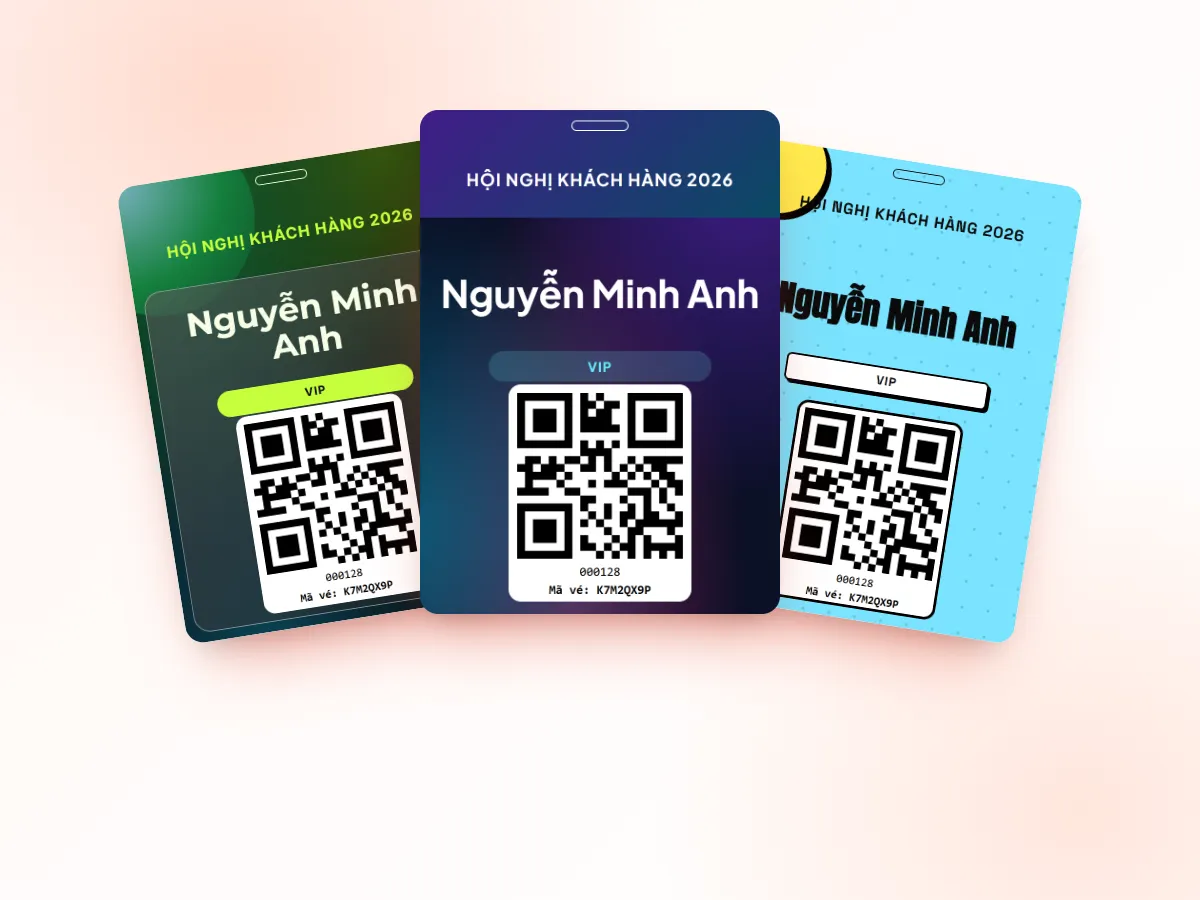
Logo, background, name, title, company, ticket type, QR — front and back.
Print on scan
After check-in, the badge goes straight to the selected printer — no extra steps.
Card or A4
Choose per machine: dedicated card printer or regular office printer.
Colour by ticket type
VIP, speaker, press, staff… distinguished by colour and label.
QR on the badge
Reuse it for session rooms, exhibition areas or gift collection.
Reprint anytime
Fix details and reprint any badge right at the desk.
Badge templates in the library
Screenshots from the Tickmi Studio app and the built-in template library.
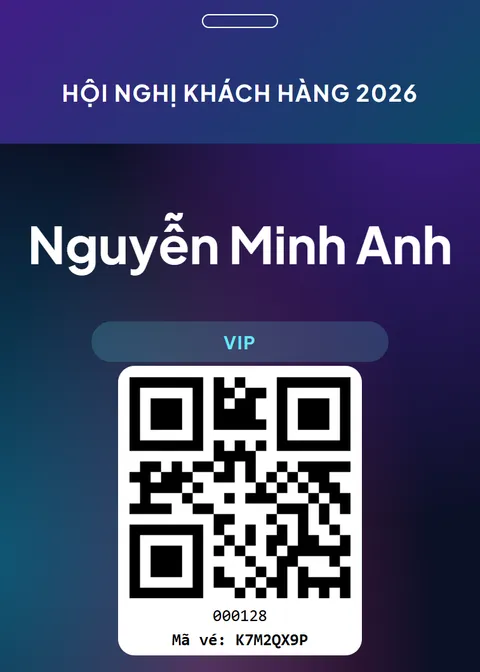
Aurora-style badge 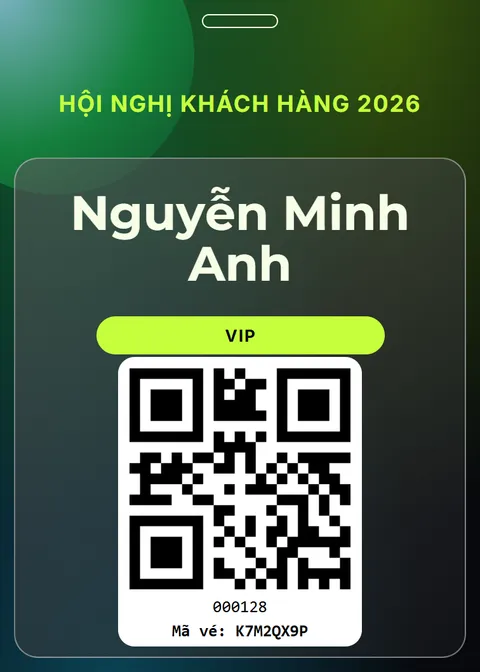
Frosted-glass badge 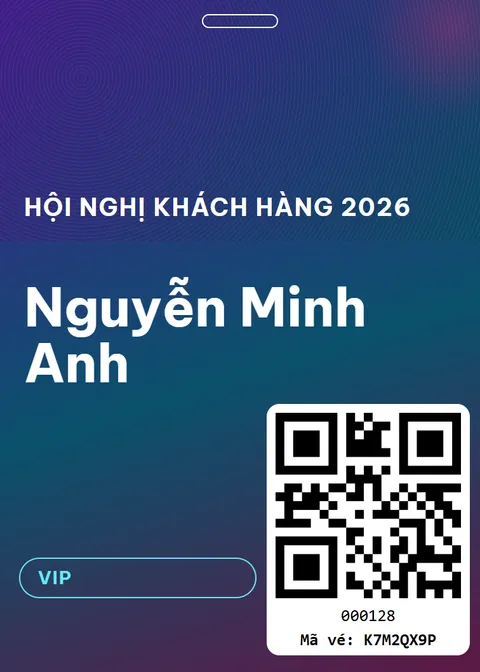
Grain-texture badge 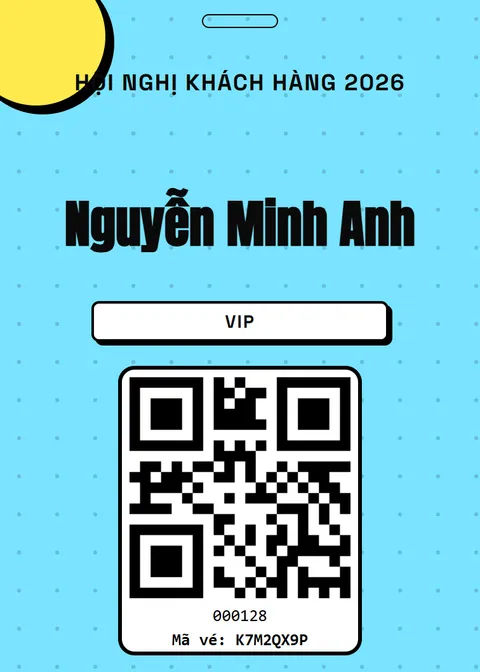
Neo-brutal badge
Get started in 3 steps
- 01
Design your badge
Start from a template and add your branding and fields.
- 02
Connect a printer
Card printer or office printer on the check-in computer.
- 03
Scan and print
Each check-in prints the right badge automatically.
Pre-printed badges vs. printing at check-in
| Criteria | Pre-printed | Printed at check-in with Tickmi |
|---|---|---|
| Waste | Badges for no-shows | Only for attendees who checked in |
| Finding badges | Alphabetical piles to search | Printed while the attendee is at the desk |
| Late registrations | Handwritten temporary badges | Add, check in and print like everyone else |
| Badge content | Fixed at print time | Name, ticket type, custom fields and QR from live data |
| Templates | Designed from scratch each time | Badge template library, change colours and logo |
Clear pricing, pick how you pay
Event packages: pay once for one ticket product that does not sell tickets. Ticket credits: buy ticket issues and use them across every ticket product.
Pick a package by the maximum number of attendees for one ticket product. Every package includes the full Tickmi Studio feature set.
Basic
Workshops, small seminars
1,990,000 VND
Up to 500 attendees
- Đầy đủ tính năng Tickmi Studio
- Người tham dự, form đăng ký & RSVP
- Gửi vé qua Email & Zalo ZBS (ZNS cũ)
- Check-in, tương tác & báo cáo
- Sự kiện 1 ngày, tự thiết lập và vận hành
Standard
Corporate events
2,990,000 VND
Up to 1,000 attendees
- Đầy đủ tính năng Tickmi Studio
- Người tham dự, form đăng ký & RSVP
- Gửi vé qua Email & Zalo ZBS (ZNS cũ)
- Check-in, tương tác & báo cáo
- Sự kiện 1 ngày, tự thiết lập và vận hành
Enterprise Event
Large events needing technical consulting
From4,990,000 VND
Up to 10,000 attendees
- Đầy đủ tính năng Tickmi Studio
- Người tham dự, form đăng ký & RSVP
- Gửi vé qua Email & Zalo ZBS (ZNS cũ)
- Tư vấn triển khai & hỗ trợ kỹ thuật riêng
- Sự kiện 1 ngày, tự thiết lập và vận hành
Per-event pricing is being updated. Contact Tickmi for a quote for your ticket product.
Note: packages are for events that do not sell tickets (invitations, free registration) and cover 01 ticket product. Each attendee added counts as 01, with 01 ticket issue included. Need more? Buy another package to add to your limit. Tickets sold via Tickmi do not count. Prices exclude VAT, Zalo ZBS fees, devices and on-site staff.
Ticket credits: pay per ticket issued, credits never expire. Shared across all your ticket products, no device fees, no per-staff fees. Sign up and get 100 free ticket credits right away.
Free
0 VND 100 tickets issued
Your first 100 tickets issued free — enough to fully try the core workflow.
Pay as you go
7,900 VND / ticket issued
Buy exactly the tickets you need, minimum 50 — ideal for small events and occasional needs.
Starter
3,450,000 VND / package of 500 tickets
Equivalent to 6,900 VND / ticket
500 tickets issued, shared across multiple ticket products.
- Most popular
Pro
5,900,000 VND / package of 1,000 tickets
Equivalent to 5,900 VND / ticket
1,000 tickets issued — suited for mid-size events.
Business
14,700,000 VND / package of 3,000 tickets
Equivalent to 4,900 VND / ticket
3,000 tickets issued — great rate for organizations running many events a year.
Business+
21,500,000 VND / package of 5,000 tickets
Equivalent to 4,300 VND / ticket
5,000 tickets issued — high volume, priority support.
Enterprise
Contact us volume-based quote
From 10,000 tickets issued · volume-based quote, SLA on demand.
Frequently asked questions
Do I need a special card printer?
No. A regular office printer works in A4 mode; a card printer gives PVC badges.
Can badges be double-sided?
Yes. Design front and back; duplex card printers print both sides.
Can I show different colours for VIPs and speakers?
Yes. Use ticket types and conditional elements to change colours and labels.
Ready to try Tickmi?
Create an account in a minute and get 100 free ticket credits with every feature included. When you need more, pick an event package or ticket credits.