
Knowledge
How to sell tickets for a live show or small concert from launch to the entrance gate
A concert for a few hundred people is small, but the risks are not: hot tickets sell out in minutes, tickets get resold, the entrance gets crowded at 6:45 PM, and the artist payment is needed before show day. This article walks through each of those points in the order they happen.
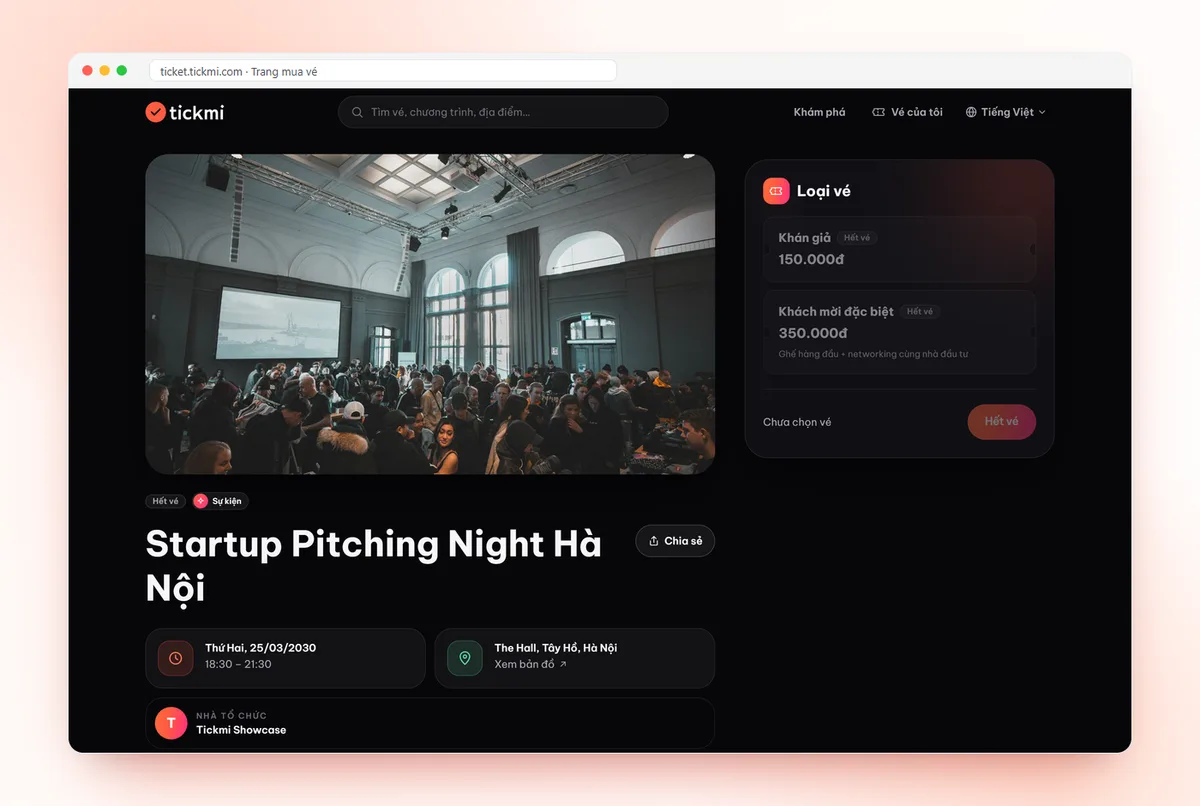
Start with ticket tiers: two to four is enough
Small live shows often fail by offering too many tiers, which leaves buyers undecided and gate staff unable to remember each tier's perks. Each tier should differ in one easy-to-see way:
| Ticket tier | What the buyer sees as different | What the gate needs to check |
|---|---|---|
| Standard | General entry, standing area or free seating | Scan the code, enter right away |
| VIP / Near the stage | Separate zone, early entry, a gift | Separate lane, see the ticket type on the scan screen |
| Early bird | Same perks as Standard, lower price, limited quantity | Same as Standard, no special handling |
| Guests / artists | Not sold through ticketing | Separate lane, separate list |
In Tickmi Studio, each tier is a ticket type with its own Price, Tickets (the maximum quantity that can be sold) and Max per order. Guests and artists are not sold tickets; you enter them directly into the attendee list so they receive a QR ticket just like buyers. How to enter the list is covered in managing attendees.
One honest note: Tickmi sells by ticket type and quantity, and has no step for choosing individual seats on a seating chart. If your show needs numbered seats, confirm with Tickmi before settling on a plan. For standing areas, free-seating tables or zone-based tiers, the tier model above is enough.
Phased sales: use each ticket type's open and close times
Each ticket type has Sales start and Sales end, so a “phase” is really a series of ticket types that follow one another. A suggested schedule for a show about six weeks after sales open:
- Phase 1 – early bird: a small number of tickets, opened first to followers of the artist's channels. The goal is to gauge demand, not to earn revenue.
- Phase 2 – regular price: opens when phase 1 closes, with the main promotion running.
- Final phase: opens only if tickets remain, at regular price or higher, and closes before showtime early enough for you to finalize the number of people entering.
Do not let two phases overlap in time. Buyers will always choose the cheaper one, and it is hard to explain why two prices exist at once.
Sale day: hot tickets need a queue and a per-order limit
When a show has many followers, a lot of people hit the ticket page at the exact minute sales open. Tickmi Studio has a Virtual queue setting with three modes: Off, Automatic (recommended) and Always queue. For a very hot concert, Always queue lets people who enter the waiting room before sales open be drawn in random order, so fast connections or automated tools gain no advantage. How to set the threshold and admission speed is in the article what a virtual queue is.
Alongside that:
- Set Max per order low (for example 4 tickets) so tickets reach more people and are harder to bulk-buy for resale.
- Publish only one official ticket link.
- Tickets are held for 10 minutes while the buyer pays; when time runs out they are released automatically, so the next people in the queue still have a chance.
Preventing fake and resold tickets
Concerts are the type of event that gets resold the most. Do not try to stop people from reselling; make resale less risky for buyers and easier for you to detect:
- One unique QR code per ticket, plus an 8-character Ticket code. If a screenshot is sent to several people, only the first to scan gets in; the others see Already used along with the earlier check-in time.
- Turn on Collect attendee information when buying so each ticket is tied to a person's name. At the gate, staff see the name on the scan screen and can compare it with ID when needed.
- State the policy up front: a ticket is valid for a single entry, and ticket photos must not be posted on social media.
The protection layers and how to balance them against entry speed are covered in full in how to prevent fake and reused tickets.
The entrance: plan the lanes first, devices second
At a concert, most of the audience tends to arrive in the last half hour before showtime. The simplest approach:
- Split lanes by ticket type: one lane for VIP, one or two for Standard, one desk for guests. Calculate the number of lanes from the number of people arriving per minute; see how to calculate staff and check-in lanes.
- Staff use the Tickmi Studio app on their phones, or plug a barcode reader into a computer on the Check-in tab when fast scanning is needed. See web check-in and barcode scanners.
- Self check-in stations for people who already have tickets, with staff only giving directions. See self check-in kiosk.
- Download offline data in the app before doors open, because enclosed halls often have weak signal. Scans sync automatically when the network returns.
- Track progress with the check-in statistics screen to know when to open more lanes.
If tickets allow re-entry (for example stepping out to smoke), increase Check-ins per ticket on the relevant ticket type. The trade-off is that a screenshotted ticket can also be scanned multiple times, so use it only when truly needed. For the full check-in solution, see QR code check-in.
Cash flow: ask about the settlement cycle before signing the artist contract
This is the most overlooked point. When tickets are sold through a payment gateway, money does not reach your account the second it is paid. In Tickmi Studio, the Settlement section shows which cycle your organization uses: once after the event ends, weekly or monthly, along with the waiting days. You confirm the figures for each period and then Tickmi transfers the money. If you need to pay an artist deposit or sound and lighting before show day, check your organization's cycle early, not in the final week. To change the cycle, contact Tickmi. The detailed process is in revenue, settlement and refunds.
Checklist for the seven days before show night
- Register the payout account and confirm any pending settlement periods.
- Enter the list of guests, artists and sponsors, and send them their QR tickets.
- Send a reminder email with the door opening time, how to enter, and to bring the ticket on their phone and a form of ID.
- Every scanning device is signed in, has camera permission, has offline data downloaded and has scanned a test code.
- A help desk is ready for people who cannot find their ticket: look up by name, phone number or email.
- Agree on how to handle a ticket that shows Already used.
- Know who approves refunds if the show has to be rescheduled.
Opening sales for the first time and unsure of the steps? Read the online ticket sales guide, or see the overview at online ticket sales.
@@ABOUT@@Frequently asked questions
Does Tickmi sell tickets by numbered seating chart?
Currently tickets are sold by ticket type and quantity, and buyers do not choose individual seats. This suits standing areas, free seating and zone-based ticket tiers. If you need numbered seats, you should talk to Tickmi before settling on a plan.
How can I stop buyers from bulk-buying tickets to resell?
You cannot stop it entirely, but you can reduce it with a Max per order limit, a random-draw virtual queue for hot shows, turning on per-attendee information and matching names when scanning at the gate.
Can I open sales in several phases with different prices?
Yes. Each phase is a ticket type with its own price, ticket quantity, and Sales start and Sales end window. Keep the phases back to back, not overlapping in time.
What devices should I use to check in a large concert crowd?
Phones with the Tickmi Studio app are enough for a small show. For larger crowds, add a barcode reader plugged into a computer or a self check-in station for people who already have tickets, and download offline data beforehand so you do not depend on signal.
When do I receive the ticket sales money?
According to your organization's settlement cycle, shown in the Settlement section of Tickmi Studio. After you confirm the figures for each period, Tickmi transfers the money to the payout account you registered. Check the cycle before you have any payment due ahead of show day.
Issue QR tickets, send emails, check in and engage attendees on one platform.