
Knowledge
How to prevent fake tickets and reused tickets at check-in
E-tickets are easy to send but also easy to copy. Understanding the most common kinds of fraud helps you choose the right layers of protection without slowing down the check-in desk.
Why are tickets easy to defraud?
Paper tickets can be forged; with e-tickets, a single screenshot can be sent to someone else. If the check-in desk only glances at a ticket without verifying it against the source data, every copy looks like a real ticket.
Common kinds of ticket fraud
Screenshots and sharing
A ticket holder takes a screenshot of the QR code and sends it to friends. Several people turn up at the door holding the same code.
Fake tickets
A fraudster creates a ticket that looks real, even with a QR code, but the code does not exist in the system or belongs to another event.
Reused tickets
Someone who has already entered passes their ticket to another person outside, or scans again at a different gate.
Resold tickets of unknown origin
Tickets are resold on social media; the buyer does not know the ticket has been sold to several people at once.
Layers of protection to put in place
1. One unique code per ticket
Do not use a shared static QR code. Each attendee needs a different code tied to their information. This is the foundation that every other layer relies on.
2. Online verification when scanning
The code must be checked against the database the moment it is scanned. A code that does not exist, or belongs to another ticket product, is rejected, so even a fake ticket that "looks real" cannot get through.
3. Mark as used
The first scan records the check-in; later scans show a warning that the ticket has already been used. This only works when all desks share the same data.
4. Match attendee information
For events that need tight control, staff should look at the name shown on the screen after scanning, and check ID if needed. A screenshot may pass the first scan, but it is exposed when the name does not match.
5. Handle network loss without losing control
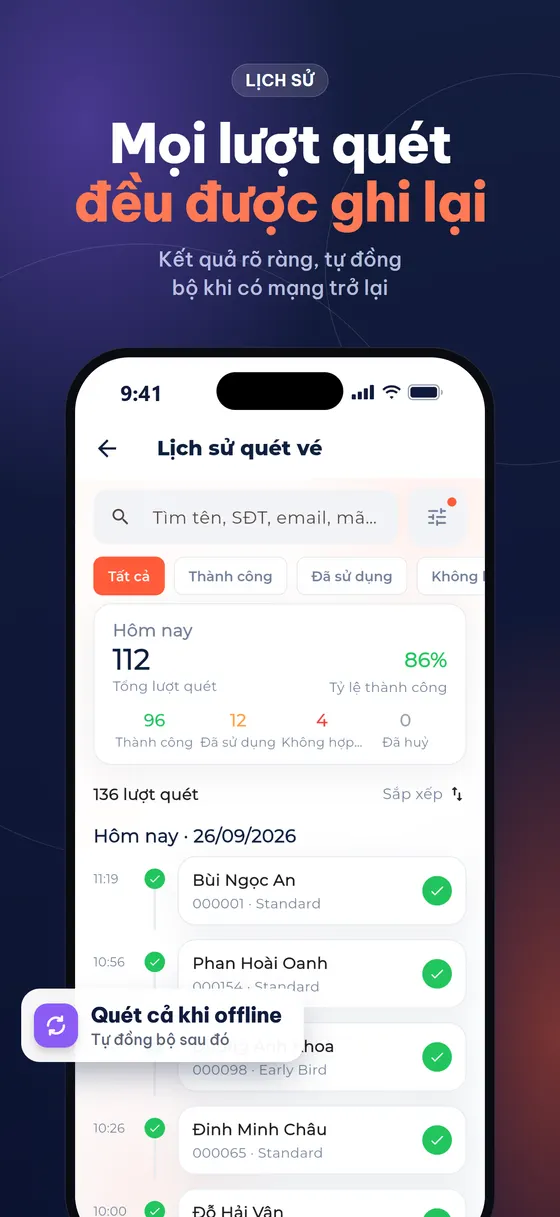
Offline scanning keeps the desk moving when the network is unstable, but two offline devices could accept the same ticket. A good system needs to sync again when the network is back and detect duplicate check-ins for the organizers to review.
6. An official distribution channel
Clearly announce where official tickets are sold and advise attendees not to buy resold tickets from unknown sources.
Balancing security and speed
| Control level | Approach | Suitable for |
|---|---|---|
| Basic | Unique code, online scanning, block repeat scans | Seminars, training, free events |
| Medium | Add on-screen name matching, lanes by ticket type | Ticketed events, VIP areas |
| Strict | Add ID checks, name badges printed on site | High-level conferences, restricted areas |
You do not need the strictest level for every event: each extra layer of checking adds time to every entry.
Procedure when you spot an irregular ticket
- Do not argue at the main lane: invite the attendee to the support desk so the lane keeps moving.
- Check the history: see when the ticket was checked in, on which device, and who did it.
- Verify the ticket owner: match the registered name, email or phone number with the person holding the ticket.
- Decide according to policy: agree on the policy beforehand (admit, refuse, or ask the ticket owner to confirm) so staff do not have to decide on their own.
- Record it: save notes to compile after the event and adjust for next time.
Communication as prevention
A large part of the risk can be reduced right at the communication stage: remind attendees not to post photos of their tickets on social media, state that a ticket is valid for a single entry only, and give the official channel to contact when they doubt a resold ticket.
How does Tickmi help?
On Tickmi, every ticket has its own QR code and an 8-character Ticket code; when scanned, the system verifies the ticket and warns if it has already been checked in. The Tickmi Studio app can scan offline, sync when the network is back and show conflicts when duplicate check-ins are detected. After check-in, you can print a name badge to identify people who have passed through the door.
- QR code check-in · QR invitation tickets
- Check-in with the Tickmi Studio app
- Check-in statistics screen
- What is a QR code ticket?
Frequently asked questions
Can a screenshot of a QR ticket get through the door?
The first scan may pass; later scans of the same code will be reported as already used. For tighter control, staff should match the name shown after scanning.
Does offline scanning increase the risk of reused tickets?
There is a window of risk when several devices are offline at the same time. So sync again early and review duplicate check-ins after syncing.
How can I tell a ticket is fake?
A fake ticket has no code in the system, so an online scan reports it as invalid even though it looks like a real ticket.
Issue QR tickets, send emails, check in and engage attendees on one platform.