
Knowledge
How to calculate check-in lanes and staffing
A long queue at the door is the worst first impression for attendees. This article gives a simple formula to estimate how many check-in lanes you need to open and how many staff to assign.
Why calculate the number of check-in lanes in advance?
Attendees rarely arrive at an even pace. Most bunch up into a short window before the opening. If you simply divide the total number of people by the total opening time, you will be short of lanes exactly at the busiest moment. Calculating by the peak window reflects the real demand.
Three variables to determine
- Number of people arriving in the peak window: estimate the share of attendees who will arrive in the busiest period, for example the 30 minutes before the opening. Base it on check-in data from past events or the nature of the event.
- Processing time per person (seconds): from the moment the attendee hands over their ticket to the moment they leave the desk. QR scanning is usually faster than looking up a name on a paper list; adding badge printing or handing out gifts takes longer.
- Length of the peak window (minutes).
Formula for estimating the number of lanes
Number of lanes = (People arriving in the peak × Processing time per person in seconds) ÷ (Peak length in minutes × 60)
Round up, then add one spare lane for unexpected cases: people who forgot their ticket, wrong details, on-site registration.
Illustrative example (hypothetical figures)
The numbers below are only assumptions to illustrate the calculation, not statistics. Replace them with your own event's numbers, ideally measured in a real trial run.
| Assumption | Value |
|---|---|
| Total attendees | 1,000 |
| People arriving in the peak | 600 |
| Peak length | 30 minutes |
| Processing time per person – QR scan only | 10 seconds |
| Processing time per person – QR scan and badge printing | 25 seconds |
- QR scan only: 600 × 10 ÷ (30 × 60) ≈ 3.3 → 4 lanes, plus 1 spare = 5 lanes.
- QR scan and badge printing: 600 × 25 ÷ 1,800 ≈ 8.3 → 9 lanes, plus 1 spare = 10 lanes.
The example shows that adding just one step to each check-in can raise the number of lanes you need to open considerably. So think carefully: do you really need to print badges on site for everyone, or print most in advance and only print on site for unexpected cases?
Calculating staff numbers
Each staffed lane usually needs at least one person. In addition, consider adding:
- Queue coordinators: direct attendees to open lanes and remind them to have their ticket open on their phone.
- A support desk: handles faulty tickets, lookups by name or phone number, and on-site registration, kept separate so it does not slow down the main lanes.
- Technical staff on duty: handle devices, network and printers.
- Rotating staff if reception runs long.
Reduce processing time per person
Shaving a few seconds off each entry is often more effective than opening more lanes. Some ways:
- Send a reminder email beforehand asking attendees to have their QR ticket open.
- Use fast scanning devices: an app that scans with the phone camera or a barcode scanner.
- Have a fallback when attendees cannot open the QR: look up by the short Ticket code instead of searching for a name in the list.
- Put up clear directional signs in front of the check-in area.
Use self check-in kiosks to make up for lanes
A self check-in kiosk lets attendees scan their own ticket without staff at each lane; one staff member can supervise several kiosks at once. Kiosks suit attendees who already have tickets; cases that need help should still be moved to a staffed desk. When calculating, measure the actual processing time at the kiosk during a trial run, because self-service speed varies by audience.
Trial run and monitoring on the day
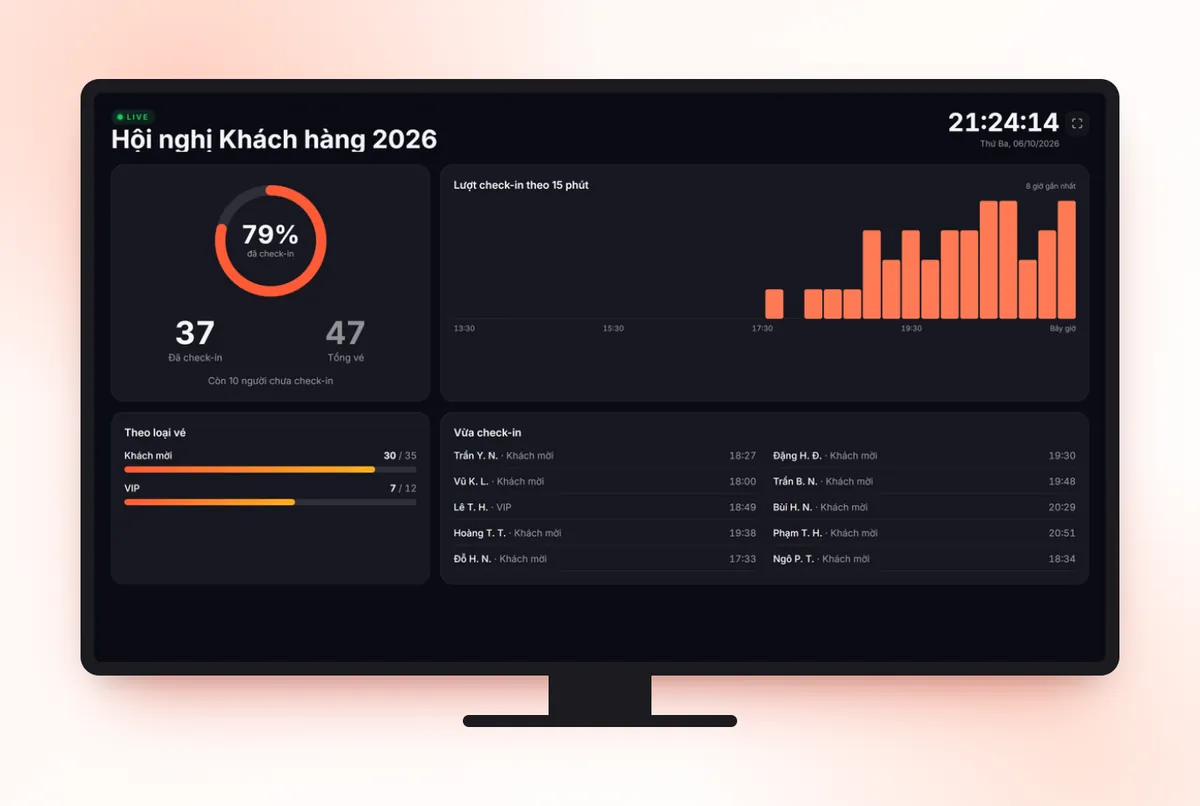
The formula is only a starting point. Run a trial with a small group, time each method in practice, then adjust the number of lanes. On the day, watch the number of check-ins over time so you can open or close lanes in time.
Check-in with Tickmi
Tickmi supports check-in with the Tickmi Studio app on a phone, barcode scanners, self check-in kiosks and lookup by Ticket code; it can automatically print a label or badge after each successful check-in, and has a real-time check-in statistics screen.
- Check-in with the Tickmi Studio app
- Self check-in kiosk · Kiosk check-in solution
- Check-in desk checklist
- Check-in software · Print badges
Frequently asked questions
Is there a formula for calculating the number of check-in lanes?
You can estimate it: people arriving in the peak × processing time per person (seconds) ÷ peak length (seconds), rounded up plus a spare lane. Verify it with a trial run.
How does printing badges on site affect things?
Each added step increases the processing time per person, so you need more lanes. You can print most badges in advance and only print on site for unexpected cases.
Do kiosks replace staff completely?
Not completely. Kiosks reduce the number of people needed at each lane, but you still need supervising staff and a support desk for faulty tickets or on-site registration.
Issue QR tickets, send emails, check in and engage attendees on one platform.