
Knowledge
Dynamic vs static QR codes: which for tickets, which for posters?
QR code generator sites split codes into "static" and "dynamic", then recommend dynamic for tickets. That answer is partly right but easily misleading. This article separates two questions that get merged into one, explains the technical points worth knowing and shows which type of code suits each job.
What "static" and "dynamic" really mean
A QR code is just a square holding a string of characters. The scanner reads that string out, and what happens next depends on the app. That gives two ways of using it:
- Static QR code: the string holds the final content itself, for example a registration page link or a piece of text. The content lives in the image itself; to change it you have to create a new code and print again.
- Dynamic QR code: the string holds only a short link belonging to the code-generating service. When scanned, the phone opens that link and the service redirects you to the real address. This lets the code owner change the destination after printing, and lets the service count scans.
The key point: the image of both is a fixed code on paper or on a screen. The "dynamic" part is on the server side, not in the image. If you want a fixed code like that for a link or a phone number, you can create a QR code online for free, no registration required.
Two questions that get merged into one
When choosing a code for tickets, you actually have to answer two independent questions:
- Does the content need to be changeable after printing? (static vs dynamic)
- Does each person have a unique code the system can tell apart? (shared code vs unique code)
| One shared code for everyone | One unique code per person | |
|---|---|---|
| Fixed content | Registration poster, signage, wifi. Cheap, durable, depends on no one | The code already contains each person's information. Rarely used because it exposes data and can't check status |
| Content changeable via a server | Posters printed in bulk where the destination may change (switching registration page or form) | E-tickets: the code is just a reference, and information and status live in the system |
For tickets, what decides whether you control the entrance is the right-hand column: one unique code per person, with the system checking on scan. That is what blocks reused tickets. Whether the code counts as "dynamic" in the sense of a QR code generator service is almost irrelevant. Learn more in what is a QR code ticket and how to prevent fake and reused tickets.
Which code for which job
| Job | Use | Reason |
|---|---|---|
| Entry ticket | A unique code per ticket, checked on scan | Tells each person apart, and reports "already used" on a second scan |
| Poster or standee leading to a registration page | Static or dynamic both work; choose static if the link is stable | No need to tell people apart, just open the right page |
| Printing in large quantities before the destination is known | Dynamic (through a trustworthy service) | You can change the destination without reprinting |
| Badges that need scanning to enter an area | A unique code, same string as the ticket QR | One system recognizes both badge and ticket |
| Offline scanning when there is no network | A unique code, with the device downloading the list in advance | No dependence on a redirect link |
The traps of third-party dynamic QR codes
- The code dies when the trial plan expires. Some services stop redirecting when you don't renew; posters already printed then point to an error page. Read the terms before printing in bulk.
- Dependence on one provider. The code contains their address, not yours. If they shut down or change policy, every pre-printed code stops working.
- Who owns the scan data. The service collects scan counts and device information of the people who scan; check the privacy terms if your audience is attendees.
- An extra redirect step slows things down on a weak network and is an unnecessary point of failure at a crowded gate.
For posters, one way to avoid this trap is to use a static code pointing straight at a link on your own page. In Tickmi Studio, the registration page link can have its link code changed to make it easier to remember, but once changed, the old link stops working; settle the link before printing posters. See the guide to creating a registration page.
Technical specs worth knowing when printing codes
- The fewer the characters, the sparser and easier to scan the code. A code with a short string has large modules; a code holding a whole paragraph has tiny modules that are hard to read on a small ticket. That is why a ticket code is usually just a reference string.
- Error correction level has four levels L, M, Q, H, corresponding to roughly 7%, 15%, 25% and 30% of the data that can be obscured or damaged while still being readable. A higher level helps a code survive dirt and creases but makes the code denser. Don't use high error correction to squeeze a large logo into the middle of the code if the ticket is printed small.
- Quiet zone: leave a white margin around the code about four modules wide. A code too close to the card edge or overlapping a pattern is the number one cause of scan failures.
- Size and scanning distance: as a rule of thumb, the scanning distance is roughly ten times the width of the code. A code on a badge scanned at hand height can be small, while a code on a sign hung far away must be large.
- Contrast: dark code on a light background. Light-colored or inverted codes can't be read by many scanners. Tickmi's ticket designer warns you when the code color is too light.
For the accompanying barcode and USB scanners, see barcodes and QR codes on tickets.
Do rotating codes (changing over time) matter for tickets?
Some systems use a code that changes itself every few dozen seconds to defeat screenshots. This is stricter but comes with trade-offs: attendees must open a running app or page, the code can't update when the network drops, and a code printed on paper doesn't work. For conferences and general programs, a unique code per ticket with an "already used" mechanism is enough; the desk can add a step of checking the displayed name after scanning if you need to be stricter.
Which type are Tickmi QR tickets?
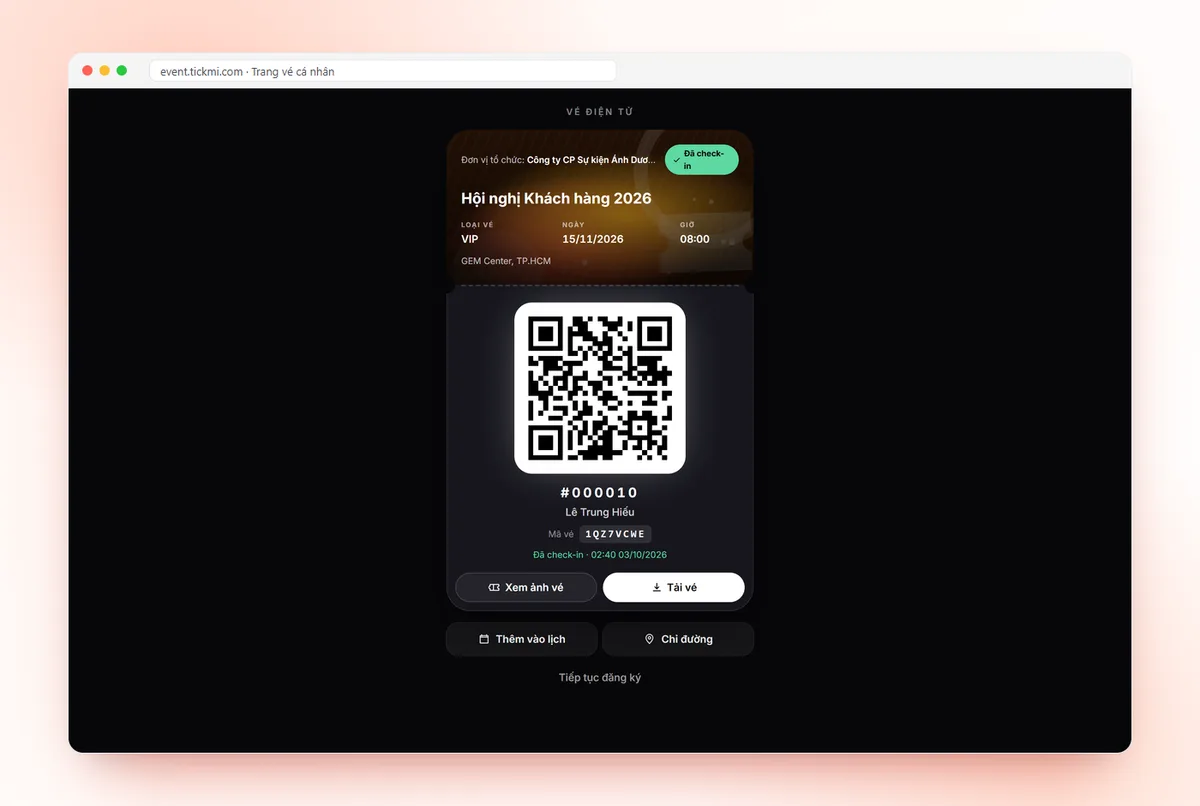
Each ticket in Tickmi has its own QR code generated by the system. It contains no phone number or email, only an identifier string; attendee information and check-in status live in the system. On scan, the system looks up the code, checks that the ticket is valid and records the check-in, and a second scan reports that the ticket has already been used. As an image, the code does not change over time, so it works whether printed on paper or saved as an image. The barcode on the same ticket encodes the same string, so barcode readers also recognize it. Scanning details are in check-in with the Tickmi Studio app and the overview is at QR code check-in.
Test before printing: five checks
- Scan the code with at least three different phone models, including an old one.
- Scan from the real distance and angle of the gate, not at your desk.
- Test-print on the exact paper and ink you will use, and scan the printout, not just the screen.
- Scan the same ticket twice to make sure the second scan reports already used.
- Try one ticket with the network off if the venue has a weak signal.
Need individual QR codes for a whole list of cards, vouchers or labels? Paste the data column into Tickmi's bulk QR code generator, preview, then download a ZIP or print A4 pages.
About Tickmi
Tickmi is a ticketing and attendee experience platform (Ticketing & Participant Experience Platform). On one unified attendee dataset, Tickmi connects the whole journey: issuing invitation, registration and paid tickets, sending branded QR tickets, check-in by app, kiosk or scanner — even offline — then the welcome screen, lucky draw, voting, quizzes and surveys. Tickmi is trusted by organisations such as Viettel, VNPT, MobiFone, FPT and CMC. Learn about Tickmi or try it free.
Frequently asked questions
What is the difference between dynamic and static QR codes?
A static code holds the final content in the image, so it can't be changed after printing. A dynamic code holds a short link from the code-generating service and redirects to the real destination, so the destination can be changed and scans can be counted. Both are fixed images.
Which type should I use for entry tickets?
What matters most is that each ticket has its own code and the system checks on scan to report already used, not whether it is called static or dynamic. A code shared by everyone can't work as a ticket.
Do dynamic QR codes expire?
They can. A dynamic code from a third-party service stops working when the plan expires or the service shuts down. Read the terms before printing in bulk, or use a static code pointing at a link on your own page.
Do Tickmi QR tickets change over time?
No. Each ticket has a fixed code, and the information and status live in the system. The first scan records the check-in, and later scans report the ticket as already used.
Issue QR tickets, send emails, check in and engage attendees on one platform.