
Knowledge
What is a QR code ticket and how does it work?
A QR code ticket is an e-ticket that carries a QR code to be scanned at the entrance. This article explains how it works, how it differs from traditional paper tickets and when to use it.
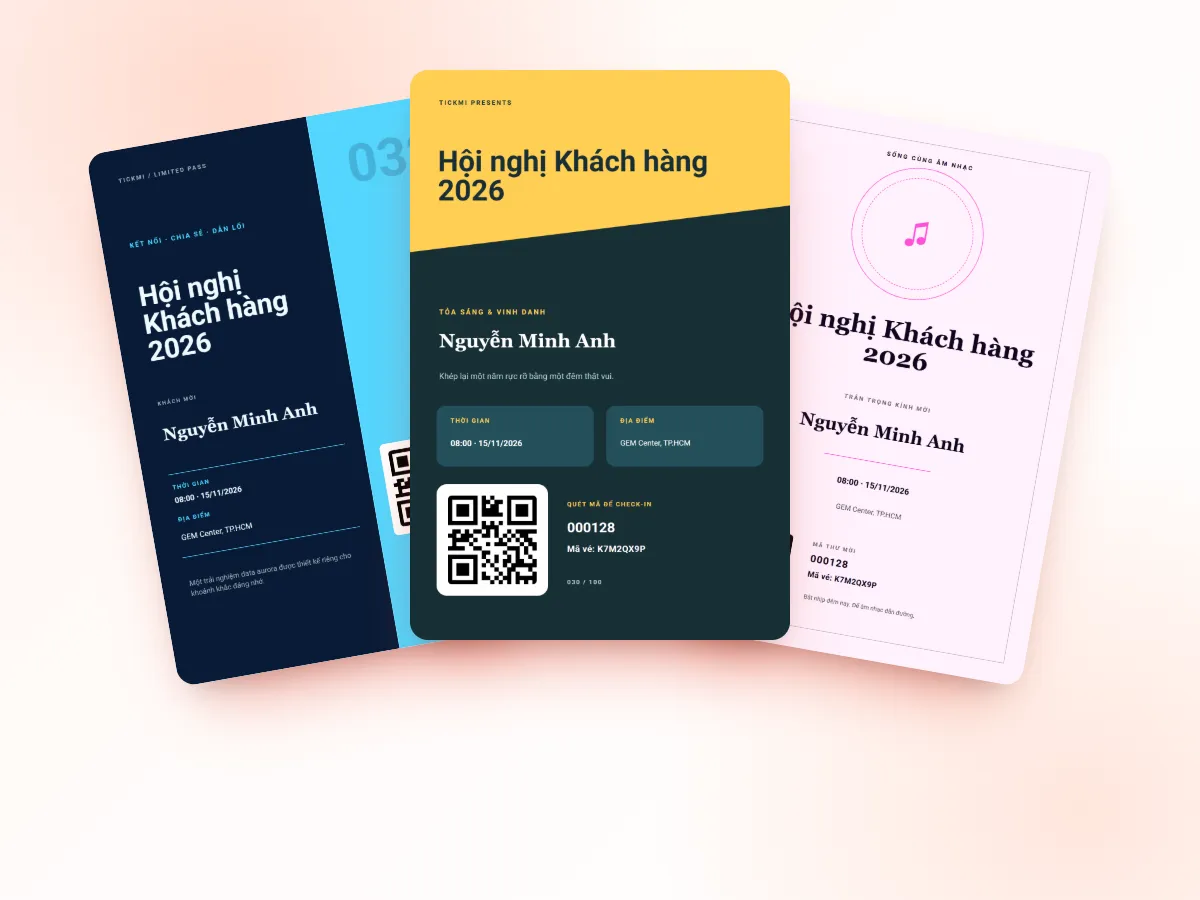
What is a QR code ticket?
A QR code ticket is a ticket (electronic or printed on paper) that contains a QR code – a type of two-dimensional barcode that a phone camera or scanner reads in an instant. Instead of staff reading names and searching a list, attendees just present the code, and the device scans it and returns whether it is valid or not.
QR tickets are usually sent by email or shown on the buyer's page. Attendees can open them on their phone or print them out; both can be scanned.
How does a QR ticket work?
- Issuing: the system creates a unique code for each attendee, linked to their information (name, ticket type, ticket product).
- Sending the ticket: the QR code is placed in the ticket design and sent to the attendee.
- Scanning at the door: staff use an app on a phone or a barcode scanner, or attendees scan themselves at a kiosk.
- Validation: the system looks up the code, confirms the ticket is valid, unused and for the right ticket product, then records the check-in.
How do a static QR and a unique-code ticket differ?
Not every QR code is a "ticket". You need to tell two uses apart:
- A shared static QR: one pre-printed code for everyone, for example leading to a registration form or an information page. This code cannot tell who is who, and anyone with a photo of it can use it, so it has no value for controlling entry.
- A ticket with a unique code, validated online: a different code for each person, checked against a database when scanned. The system knows who the ticket belongs to and whether it has been used. This is a QR ticket in the true sense.
When choosing a solution, ask: "If two people hold the same photo of the code, will the system detect it?". With a unique-code ticket, the second scan is reported as already used.
Compared with paper tickets and numbered tickets
| Criterion | Paper ticket / list lookup | Numbered printed ticket | Unique-code QR ticket |
|---|---|---|---|
| Issuing | Printing, manual distribution | Printing, numbering | Bulk electronic sending |
| Checking at the door | Reading names, checking by eye | Tearing stubs, taking notes | Scanning, instant result |
| Detecting reuse | Hard | Hard with several doors | Automatic |
| Attendance figures | Compiled afterward | Counting stubs | Available immediately in real time |
Advantages of QR tickets
- Fast scanning, shorter queues and fewer errors from looking up names.
- Bulk issuing and sending, with no dependence on printing.
- You know exactly who arrived, when and through which gate.
- Blocks ticket reuse thanks to the "checked in" status.
- Scanning devices are easy to find: an ordinary phone is enough.
Disadvantages and how to address them
- Attendees cannot find the ticket email: have a backup lookup at the desk, for example by name, phone number or a short, easy-to-read code such as the Ticket code.
- Dark or cracked phone screens: remind people to raise the brightness; dedicated scanners usually read better than cameras.
- Network loss at the venue: choose an app with an offline scanning mode that resyncs when the network returns.
- Shared screenshots: a unique code only blocks the second use; if you need it tighter, also check names or ID documents.
When should you use QR tickets?
Almost any event with a defined list of attendees benefits: conferences, seminars, internal training, product launches, workshops, ticketed events. For a very small group who know each other, a paper list is still enough; when the number of people grows or you need accurate figures, QR tickets are the more sensible choice.
Notes when designing QR tickets
- Code size: the QR code needs to be large enough and have a white border around it (quiet zone) so the camera catches it quickly; do not place the code at the edge or over a background image.
- Contrast: a dark code on a light background is easiest to read. Light-colored codes or patterned backgrounds slow scanning.
- Accompanying information: the attendee's name, ticket type, time, venue and a short code to read out to staff when scanning fails.
- Displays well on phones: most attendees open the ticket on a small screen, so place the code where it is easy to see, without having to zoom in.
- Include instructions: in the email, remind attendees to save the ticket, raise the screen brightness when scanning and bring ID if needed for matching.
QR tickets and privacy
The QR code on a ticket should be an identifier string, and should not directly contain the attendee's phone number or email. Personal information stays in the system and only shows to authorized staff when scanning. This approach both reduces the risk of data exposure when a ticket is shared and lets you update information without resending the ticket.
Issuing QR tickets with Tickmi
Tickmi is a ticketing and attendee experience platform: create ticket products, issue unique-code QR tickets, design tickets from a template library, send bulk emails and check in with an app, scanner or kiosk.
- QR invitation tickets and QR code check-in
- Guide to ticket design and the template library
- How to send QR tickets in bulk by email
- How to prevent fake and reused tickets
Frequently asked questions
Does a QR code ticket need to be printed on paper?
Not necessarily. Attendees can open the ticket on their phone to be scanned; a paper printout also scans normally.
Can a screenshot of a QR ticket be used?
A screenshot can still be scanned, but with a unique-code ticket the code can only be checked in once; the next scan reports the ticket as already used.
Can a static QR be used as a ticket?
It should not be. A static QR is shared by everyone, so it cannot tell attendees apart and cannot block reuse.
Issue QR tickets, send emails, check in and engage attendees on one platform.