
Knowledge
Issuing tickets for internal corporate events
Year-end parties, general meetings and training courses all need to know who was invited and who came. Personal QR tickets help HR and the organizers do that neatly and accurately.
Why do internal events need tickets too?
Many companies still use printed lists for internal events. That is fine at small scale, but when there are many employees, multiple branches and partner guests too, problems begin: slow name lookups, hard to tell who is really present, hard to run a fair lucky draw. Personal QR tickets solve these problems and create data for the post-event report.
Step 1: Prepare the staff list
Clean data determines every later step. Prepare a list file with:
- Basic information: full name, email, phone number.
- Internal fields: employee ID, department, branch — useful for printing badges, dividing areas or selecting groups for the lucky draw.
- Collect only the data you need: do not include sensitive information that does not serve the event.
Check for duplicate or badly formatted emails; identify employees without a company email so you have another way to send them tickets.
Step 2: Classify tickets
Classification helps control areas, benefits and statistics. Some common ways to classify:
| Ticket type | Use when |
|---|---|
| Employee | The main audience of the event |
| Leadership / VIP | Need a separate seating area and a separate entrance |
| Partner guest | Need separate reception, may not take part in the internal lucky draw |
| Accompanying family member | Year-end parties and family days that allow bringing relatives |
| Organizer / support staff | Enter early, kept apart from attendee statistics |
For multi-day or multi-session events, such as training courses, you can split sessions to track attendance for each one.
Step 3: Send tickets by email
- Send from a familiar address of HR or the organizers, preferably on the company domain, so it is not mistaken for a stranger's email.
- Tell the IT department in advance: corporate mail systems sometimes block bulk email sent from outside systems, so the sending address needs to go on the trusted list.
- Keep the content short: time, venue, dress code, the view-ticket button, a note that tickets are personal.
- Track the sending history and resend to people who did not receive it.
Step 4: Check-in at the event
Employees open their QR ticket on their phone and staff scan it with the app or a scanner; people who cannot open the ticket can read out their Ticket code for lookup. At large scale, self check-in kiosks reduce staffing at the desk. If you need badges with names and departments, you can pre-print them or print right at check-in. Check-in data tells you exactly who was present.
Step 5: Lucky draw and interactive activities
The lucky draw is almost a "specialty" of the year-end party. Draw only among employees who have checked in, announce the rules beforehand, draw live on screen and save the history. In addition, voting on performances, quizzes about the company or a welcome screen showing whoever just checked in make the event livelier.
Step 6: Post-event survey
Send a short survey right after the event, while the experience is fresh. Just a few questions: satisfaction level, what they liked most, what to improve. For training courses, the survey can assess the content and the trainer. The results are input for planning the next time.
Securing employee data
The staff list is personal data and needs to be protected:
- Permissions: only the person in charge can view and export the full list.
- Limit what is displayed on the scanning app and public screens — for example show only name and department, and mask phone numbers.
- Do not share the list file in chat groups; use a system with accounts and permissions.
- Set a retention period and delete data when it is no longer needed, following company policy.
Tickmi for internal events
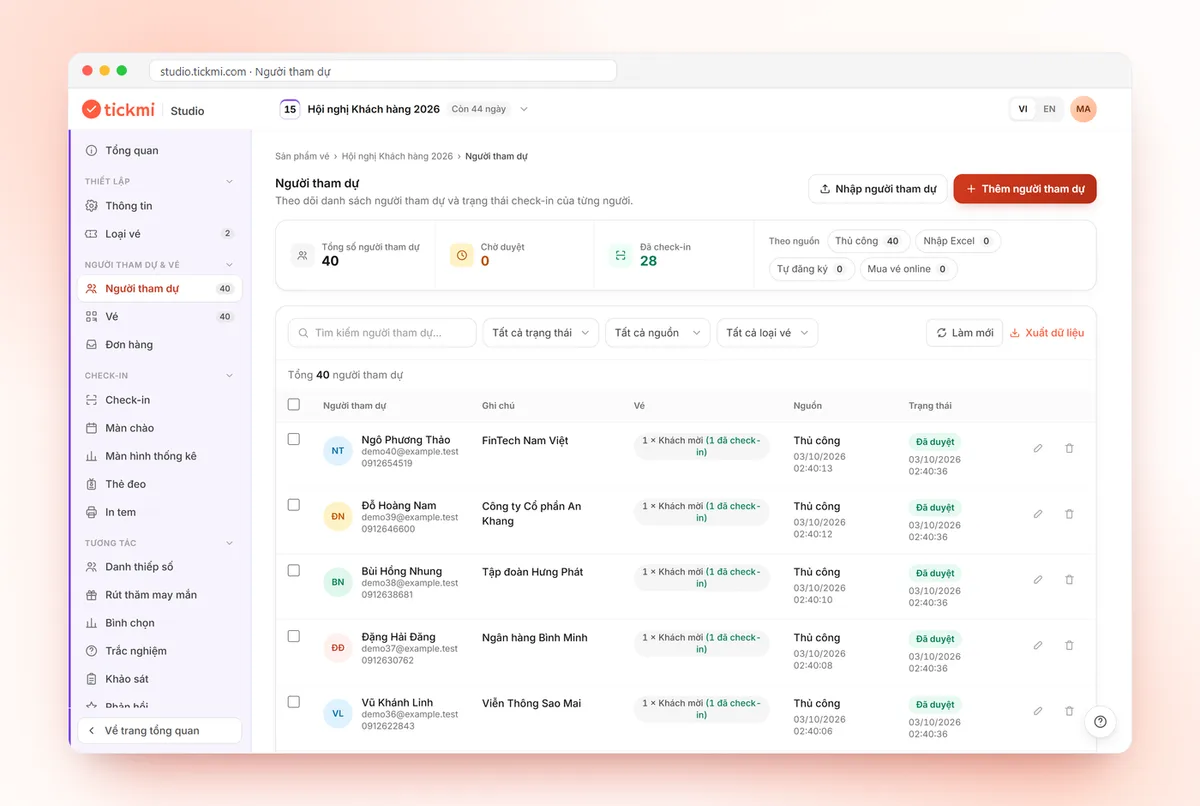
On Tickmi, you import the attendee list, create several ticket types, send QR tickets in bulk by email (possibly from your own domain), check in with an app, scanner or kiosk, print labels and badges, run the welcome screen, run a lucky draw, voting, quizzes and surveys; you can also configure hiding or masking of information shown on ticket scan.
- Managing attendees
- Sending QR tickets in bulk by email
- Printing badges · Lucky draw
- Voting, quiz, survey
- Transparent lucky draws
Frequently asked questions
Do internal events need QR tickets?
At small scale, a paper list may be enough. When there are many employees, multiple branches or a lucky draw, personal QR tickets give fast check-in and accurate attendance data.
What about employees without a company email?
You can send tickets to a personal email, or allow check-in by Ticket code or by name lookup at the support desk.
How do I protect employee data?
Set access permissions, limit what is displayed on scan and on public screens, do not share files over chat, and delete data when it is no longer needed.
Issue QR tickets, send emails, check in and engage attendees on one platform.