
Knowledge
How to increase the rate of registrants who attend
Lots of registrations but an empty hall is a familiar problem for free events. Here are practical ways to reduce no-shows, people who register but do not come.
Why do registrants not come?
Understanding the causes helps you pick the right solution. Common reasons:
- Forgetting: they registered weeks ago and did not save it to their calendar.
- Low commitment: free registration takes a few seconds, so the decision is just as easy to drop.
- Missing information: unclear venue, timing or how to get in.
- Lost motivation: they received nothing between registering and the event day.
- Schedule changes: something urgent comes up. This cannot be avoided, but you can find out early to free up the seat.
1. Send a confirmation right after registration
The confirmation email should arrive immediately, with the ticket or a link to it. Registrants get "proof" that they have a seat, which strengthens their sense of commitment. The email should include the full time, venue and check-in instructions.
2. Issue personal tickets instead of a shared list
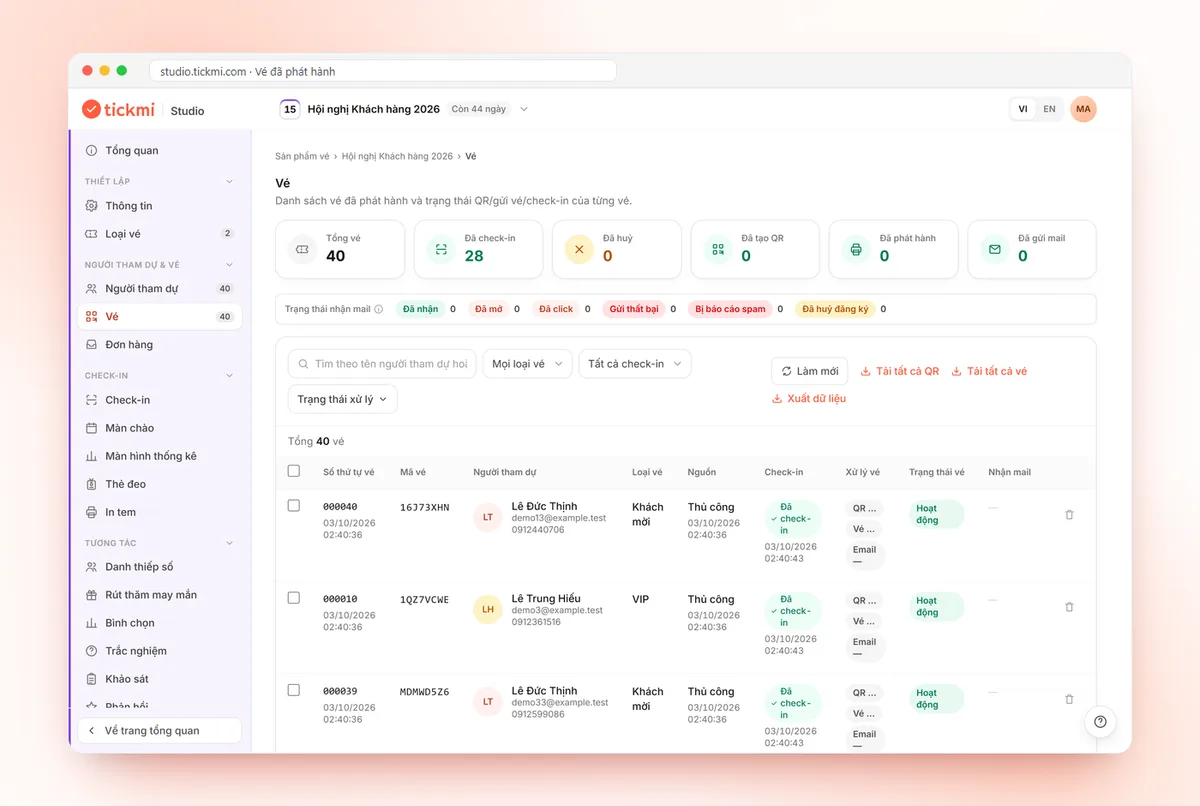
A named ticket with its own QR code feels more valuable than "your name is on the list". Personal tickets also speed up check-in and let you measure exactly who came and who did not, data you need to improve future events.
3. Help attendees add the event to their calendar
An "Add to calendar" button on the personal ticket page (placed in the ticket email with the View ticket button element) puts the event in the attendee's calendar, along with their own phone's reminders. This is the simplest way to counter forgetting.
4. Send reminders at the right time
A sensible reminder sequence might include:
- A few days before: remind them of the time, venue and highlights of the program.
- One day before: give directions and parking, and have the QR ticket ready to open.
- The morning of the event (if appropriate): a short reminder.
Each email should carry new information; avoid identical repeats that recipients learn to ignore.
5. Build a little commitment at registration
- Ask a short question in the registration form (role, expectations). People who take the effort to answer tend to be more serious.
- Approve registrations for events with limited seats: issue tickets only to suitable people, and approved people feel their spot has value.
- Limit the number of tickets per registration and set clear opening and closing times for registration to avoid excessive registering on behalf of others.
- Paid events: even at a low price, paying usually increases commitment. Weigh this against your event goals.
6. Make it easy to say "I can't come"
It sounds backwards, but when attendees can easily say they cannot make it, you find out early and can reopen registration or invite others. Tickmi does not have an automatic waitlist, so keep your own list of people who asked to join and contact them when seats open up. People who cannot come will not come either way. The difference is whether you know in advance.
7. Engage before the event day
Keep registrants "warm" with valuable content: speaker introductions, a detailed agenda, questions about their expectations. Announcing exciting on-site activities in advance, such as lucky draws, voting and quizzes, is also a reason to arrive on time, especially when the rules say only checked-in people can join the draw.
8. Consider accepting over-capacity registrations
For free events, many organizers accept more registrations than actual seats to offset no-shows. Rely on real check-in data from previous events instead of guessing, and prepare a plan in case more people show up than expected.
9. Measure after every event
Compare the number of tickets issued with actual check-ins, by ticket type or registration source. Over time you will learn which groups tend to be absent and which channels bring real attendees, and can adjust your strategy accordingly.
How does Tickmi help?
With Tickmi, you create a public registration page for each ticket type, set the maximum number of tickets per registration, the opening and closing times, and choose automatic or manual approval; QR tickets are sent by email and each attendee has their own ticket page to download the ticket and add it to their calendar. Check-in data shows exactly who came.
- Create a registration page
- Personal ticket page
- Manage attendees
- Event invitation email templates · Transparent lucky draws
Frequently asked questions
What is a no-show?
A no-show is someone who registered or received a ticket but did not attend. It is more common at free events.
How many reminders should I send?
Usually a few days before, one day before, and possibly the morning of the event. Each one should carry new information so recipients do not ignore it.
Does approving registrations reduce the number of registrants?
It can, but it helps you select suitable people and increases the commitment of those approved. This approach suits events with limited seats.
Issue QR tickets, send emails, check in and engage attendees on one platform.