
Knowledge
How to write an effective event invitation email (with templates)
A good invitation email helps attendees instantly understand what the event is, when, where, and what to do next. Below are the standard structure, common mistakes and 3 content templates you can use right away.
What should an event invitation email achieve?
An invitation email is not a long introduction. It has three jobs: let the recipient know this invitation is for them, provide enough information to decide to attend, and lead them to one clear action: confirm, register or save the ticket. Every detail in the email should serve these three jobs.
Email subject: short, specific, with the event name
The subject decides whether the email gets opened. Some principles:
- State the event name and date: recipients recognize the content immediately, for example "Invitation: Customer Conference 2026 - 15/11".
- Personalize when possible: adding the recipient's name makes the email look like a personal message, not an advertisement.
- Avoid all caps, many exclamation marks or words like "free" and "urgent": they look unprofessional and are easily flagged by spam filters.
- Keep the subject short so it is not cut off on a phone screen.
Structure of a standard invitation email
- Personalized greeting: "Dear [Attendee name]".
- One opening sentence giving the reason for the invitation: why this person is invited and what they gain by attending.
- Main information block: time, location, format, dress code if any.
- Summary of the program: 3-5 highlights, not the whole agenda.
- Primary action (CTA): a single, prominent button, for example "View your ticket" or "Confirm attendance".
- Check-in instructions: bring the QR ticket or Ticket code, and how long before the start to arrive.
- Organizer contact information for support when needed.
Required information that must not be missing
| Information | Note |
|---|---|
| Event name | Matches the name on the ticket and the on-site banner |
| Date, start time, attendee arrival time | State clearly when the check-in desk opens if different from the opening time |
| Location | Full address, floor/room, parking directions |
| Ticket or how to get the ticket | QR ticket, Ticket code, or a link to the personal ticket page |
| Support contact | A phone number or email that is staffed |
QR ticket: attach the file or embed it in the email?
There are two common ways, and they are often best combined:
- A button leading to the personal ticket page: attendees open it on their phone, see a clear QR code, download the ticket or add it to the calendar. This is lightweight, rarely blocked, and the ticket always shows the latest information.
- Attaching the ticket file: convenient for those who want to save it offline or print it. The downside is a heavier email, and some corporate mail systems may filter attachments.
Whichever you choose, make sure each recipient gets their own ticket. Personal tickets enable accurate check-in and limit ticket sharing.
How to keep the invitation email out of spam
- Send from your organization's domain and configure SPF and DKIM correctly for that domain.
- Balance text and images: avoid emails that consist of a single large image.
- Check the list: remove badly formatted and duplicate emails before sending in bulk.
- Send a test to a few different inboxes (Gmail, Outlook, company email) to see how it displays and where it lands.
- Use a recognizable sender name, for example "Customer Conference Organizing Committee".
Template 1: Customer conference
Subject: [Attendee name], you are invited to [Conference name] - [Date]
Dear [Attendee name],
On behalf of [Company name], we are pleased to invite you to [Conference name], an occasion to look back at our journey together and share our upcoming direction.
Time: [Time], [Date] (attendee arrival from [Arrival time]). Location: [Location, address].
Your ticket is ready. Please present the QR code or Ticket code [Ticket code] at the check-in desk.
[Button: View your ticket]
For any questions, please contact [Person in charge] - [Phone number].
Template 2: Topic-focused seminar
Subject: Registration confirmed: [Seminar name] - [Date]
Hello [Attendee name],
Thank you for registering for [Seminar name]. Main topic: [Topic], with speaker [Speaker name].
Time: [Time], [Date]. Location: [Location].
Please arrive [Number of minutes] minutes early to check in. Add the event to your phone calendar so you do not miss it.
[Button: View ticket and add to calendar]
Template 3: Internal event
Subject: [Event name] - here is your ticket!
Hello [Attendee name],
[Event name] will take place at [Time], [Date] at [Location]. Dress code: [Dress code].
The QR ticket below is your personal ticket, used to check in and join the lucky draw. Please do not share it with others.
[Button: Open ticket]
See you there! [Responsible department]
Sending invitation emails and QR tickets with Tickmi
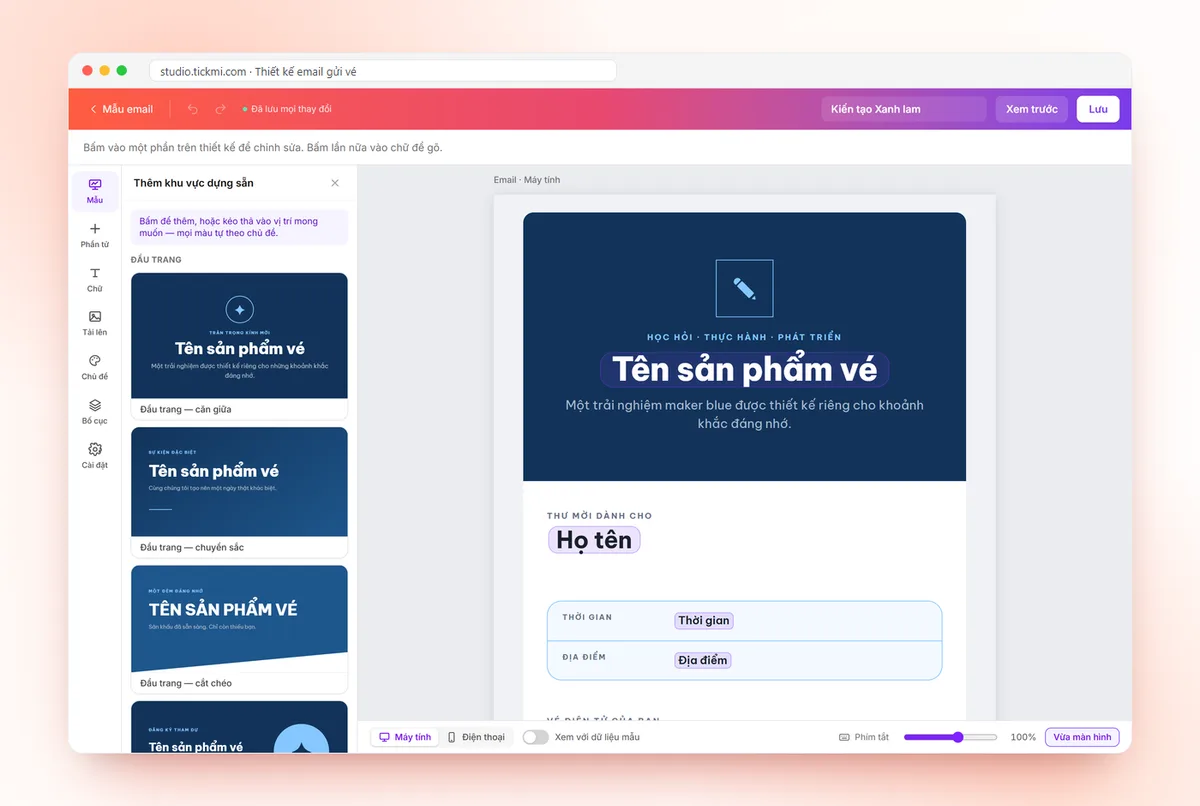
On Tickmi, you design emails with a visual editor, insert personalization fields, and send QR tickets in bulk with a view-ticket button (the ticket file can be attached); each attendee has a personal ticket page to download the ticket and add it to the calendar. You can also send from your organization's own domain email address.
- How to send bulk QR tickets by email
- Designing email and sending from your own domain
- Personal ticket page
- QR invitation tickets · What is a QR code ticket?
Frequently asked questions
How far in advance should I send the invitation email?
Depending on the scale of the event, send the invitation early so recipients can plan their schedule, then send a reminder email close to the date with check-in instructions.
Should I attach the QR ticket as a file?
You can, but also include a button leading to the personal ticket page. A link is lighter, less likely to be filtered and always shows the latest information.
How do I keep the invitation email out of spam?
Send from your organization's domain configured with SPF/DKIM, avoid sensational subjects, balance text and images, clean the list and send a test before sending in bulk.
Issue QR tickets, send emails, check in and engage attendees on one platform.