
Knowledge
What features does event management software need? A checklist in 4 stages
Good event management software has to work in all four stages: before the event (registration, lists, invitations, sending tickets), on the day (check-in, badges, interaction), after the event (reports, data) and always (permissions, security). This guide lists each group, sorts features into must-have, should-have and depends-on-scale, adds 5 questions to test a vendor, and says plainly when Excel plus Google Forms is enough and you do not need any software at all.
What problem does event management software really solve?
Event management software lets you know exactly who was invited, who registered, who received a ticket and who actually showed up, without reconciling several files by hand. The biggest value lies in two places: there is only one copy of the attendee list, and the entrance moves fast. Everything else (lucky draw, voting, reports) is an add-on, worth it only if your event actually uses it.
So do not start with the longest feature list. Start with the question: where would my event break if I ran it by hand? Most of the time it is three points: collecting the list, sending tickets to the right people, and standing at the gate matching names. The overall process is in event management process from A to Z.
Before the event: registration, lists, invitations, sending tickets
In the pre-event stage, the software has to gather everyone into one list and send each person a ticket or invitation they can use right away.
- Online registration page: attendees fill in their name, email, phone number and the few questions you need. It should allow custom questions and an approval step to screen people before tickets are issued.
- Excel list import: nobody wants to retype guests that already exist from HR, partners and sponsors. You need a template file, per-row error reports and clear limits. With Tickmi, each import accepts up to 10,000 rows; imported people start in Pending approval status and tickets are issued only when you click Approve.
- Tickets or invitations with an individual QR code: one code per person, scanned once, not shareable. See also QR code check-in.
- Sending tickets by email, and by Zalo if your guests use Zalo a lot: Tickmi can send through Zalo ZNS to Vietnamese phone numbers, but it needs a separately configured message template. Tickmi currently has no scheduled email sending, so set your own reminders for the team.
- Attendance confirmation (RSVP): know in advance how many people will come so you can prepare seats and meals. See the attendance confirmation guide.
- Ticket sales if the event charges a fee: online payment and reconciliation. See online ticket sales.
If your main job is the guest list, see guest management software separately.
On the day: check-in, badges and interaction
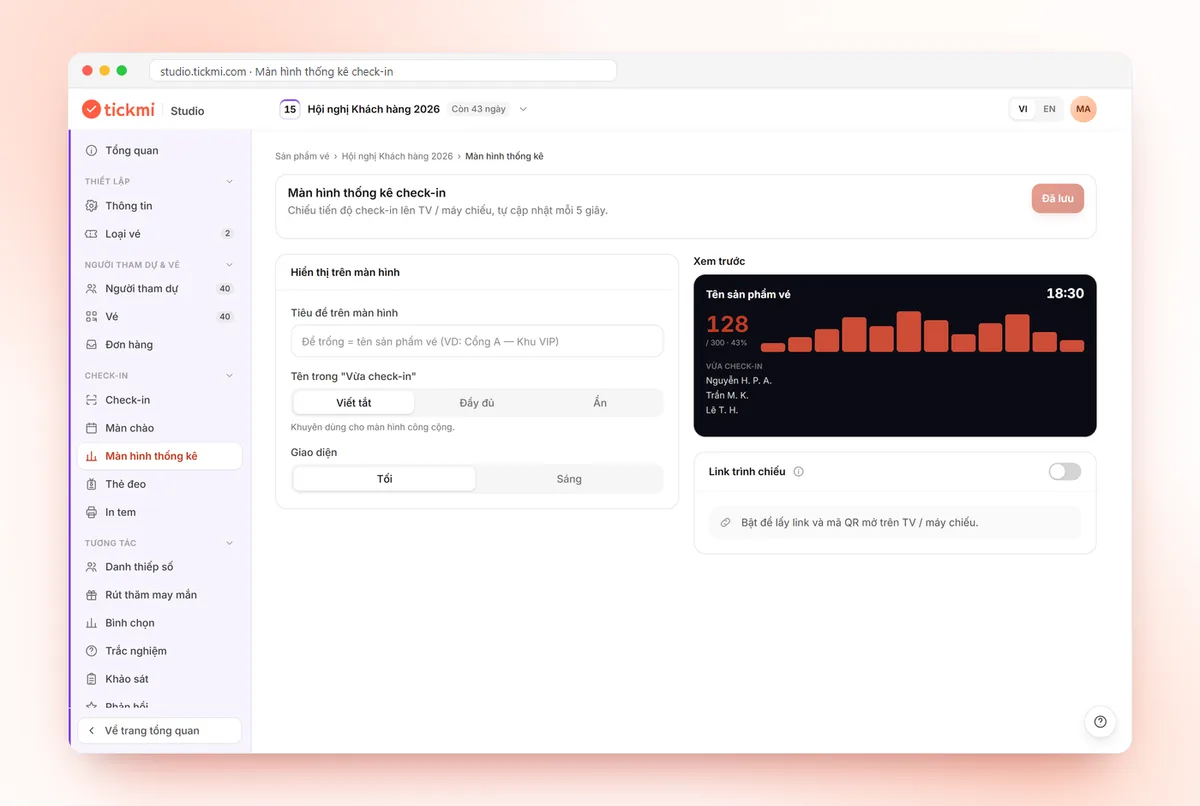
On the day, the software must allow fast check-in, cope with weak networks and show the event lead real-time numbers.
- Check-in by app or scanner: staff scan the QR code on a phone or use a barcode scanner. You need duplicate-scan blocking (ticket already used) and an option for the number of entries allowed. On Tickmi this is the Check-ins per ticket field.
- Offline mode: halls, basement parking and exhibition centres often have weak signal. Tickmi offers Download offline data in the app before you go in.
- Permissions for gate staff: the Check-in staff role can only scan tickets and sees nothing from the attendee list beyond what check-in needs.
- On-site badge and label printing: useful for conferences and exhibitions. See badge printing.
- Interaction: lucky draw, voting, surveys. This is a "should-have" for many events, not a requirement.
Note Tickmi's current limitations: there is no separate check-in per session or booth within one ticket, no waitlist and no seating chart. If your event needs any of these three, ask vendors carefully before deciding.
After the event: reports and data
After the event, the software needs to answer: how many registered, how many came, when they arrived and from what source, and let you take the data out.
- Summary report: registrations, attendance and attendance rate.
- Scan history: peak hours, which desk was busiest, which scanner.
- Excel data export: for archiving and sending to other departments. Because it is personal data, Tickmi lets only the Owner and Administrators export it.
- Post-event survey: collect feedback directly from people who attended.
A suggested report framework is in post-event report.
Always required: permissions and data security
The attendee list is personal data, so permissions and security are not optional features. At minimum the software needs: several distinct roles (owner, administrator, check-in staff), a separate account for each person, and controlled data deletion and export.
Tickmi has three roles: Owner, Administrator and Check-in staff. The account that scans tickets at the gate does not need, and does not have, permission to export the list. Create a separate account for each gate; when an incident happens, you know who scanned tickets where.
Checklist table: must-have, should-have, depends on scale
| Feature | Must-have | Should-have | Depends on scale |
|---|---|---|---|
| One single attendee list | ✔ | ||
| Excel import with per-row errors | ✔ | ||
| Ticket or invitation with an individual QR code | ✔ | ||
| Duplicate-scan blocking at check-in | ✔ | ||
| Sending tickets by email | ✔ | ||
| Permissions for gate staff | ✔ | ||
| Data export after the event | ✔ | ||
| Online registration page, approval step | ✔ | ||
| Attendance confirmation (RSVP) | ✔ | ||
| Offline check-in | ✔ | ||
| Summary report, scan history | ✔ | ||
| Sending via Zalo | When your guests commonly use Zalo | ||
| On-site badge printing, self check-in kiosk | Large conferences and exhibitions | ||
| Lucky draw, voting, surveys | When there is a stage interaction segment | ||
| Online ticket sales, reconciliation | Paid events |
5 questions to ask a vendor before choosing
- Does check-in still work when the phone loses internet? Ask them to demo it for real in airplane mode.
- What is the maximum number of people per import, and how are error rows reported? A good answer reports each row with a reason.
- Who can view and export the attendee list? Gate staff should not be able to export.
- How is it priced, and where are the hidden fees? Ask for a written fee table; this article does not list prices because they change.
- Which features does it not have? An honest vendor can name three things they do not do. If they promise to have everything, be cautious.
When is Excel plus Google Forms enough?
For an event under about 50 people, held once, where you know most of the guests, Excel plus Google Forms is enough and you do not need to buy anything. That is the honest answer: Tickmi is not necessary in this case either.
You start to need a platform when one of these happens: more than one person edits the list; you need to send each person an individual QR ticket; the entrance has a queue; you need to know who has come in real time; or people outside your team can see the data. For a detailed comparison see Google Form, Excel or a ticketing platform.
Choosing event management software by scale and event type
The larger the scale, the more you need per-gate permissions and peak-hour reports; for small scale you only need a single list and QR tickets.
| Scale | Prioritise | Can skip |
|---|---|---|
| Under 100 people | A single list, QR tickets, phone check-in | On-site badge printing, kiosk |
| 100–500 people | Registration page, RSVP, several gate staff, offline check-in | Kiosk if the gate sees few guests |
| Over 500 people | Per-gate permissions, peak-hour reports, barcode scanners, badges | Do not skip a dry run before the event day |
- Conferences and seminars: prioritise registration with approval, name badges and attendance reports.
- Parties and appreciation ceremonies: prioritise QR invitations and attendance confirmation. Tickmi has no seating chart; if you need one, write the table number in a separate information field.
- Exhibitions and festival days: prioritise large volumes, multiple gates, offline mode and hourly statistics.
Step-by-step instructions are in the guide centre, and detailed criteria for comparing ticketing software are in criteria for choosing ticketing and check-in software. If you are new to Tickmi, the What is Tickmi page summarises what the platform can do in a few minutes of reading.
Read next: criteria for choosing guest management software · event tickets: types and how to issue them.
About Tickmi
Tickmi is a ticketing and attendee experience platform (Ticketing & Participant Experience Platform). On one unified attendee dataset, Tickmi connects the whole journey: issuing invitation, registration and paid tickets, sending branded QR tickets, check-in by app, kiosk or scanner — even offline — then the welcome screen, lucky draw, voting, quizzes and surveys. Tickmi is trusted by organisations such as Viettel, VNPT, MobiFone, FPT and CMC. Learn about Tickmi or try it free.
Frequently asked questions
What features does event management software need at a minimum?
At a minimum: a single attendee list, Excel import with per-row errors, tickets or invitations with an individual QR code, check-in that blocks duplicate scans, ticket sending by email, permissions for gate staff, and data export after the event.
Do I need software for a small event under 50 people?
Usually not. Excel plus Google Forms is enough if the event happens once and you know the guests. A platform is worth using when several people edit the list, you need individual QR tickets, or the entrance has a queue.
Does Tickmi have a seating chart, waitlist or per-session check-in?
Not at the moment. Tickmi focuses on tickets, the attendee list, check-in and interaction. If your event needs these three features, ask vendors carefully before choosing.
Does check-in work without internet?
Yes. In the Tickmi Studio app, tap Download offline data while you are still online, then scan tickets in places with weak signal. Do a dry run at the actual venue before the event day.
Can check-in staff see the attendee list?
Not beyond what they need for check-in. The Check-in staff role can only scan tickets; data export is for the Owner and Administrators only.
Issue QR tickets, send emails, check in and engage attendees on one platform.