
Knowledge
Collect registrations with Google Form + Excel or switch to a ticketing platform?
Google Form + Excel is enough when you only need to collect a list, for a few dozen people, with no ticket checks at the door. When every attendee needs their own QR code, duplicate-proof check-in, bulk ticket delivery and an instant count of who has arrived, a ticketing platform like Tickmi removes most of the manual work behind the form. This article compares the two approaches step by step so you can choose correctly.
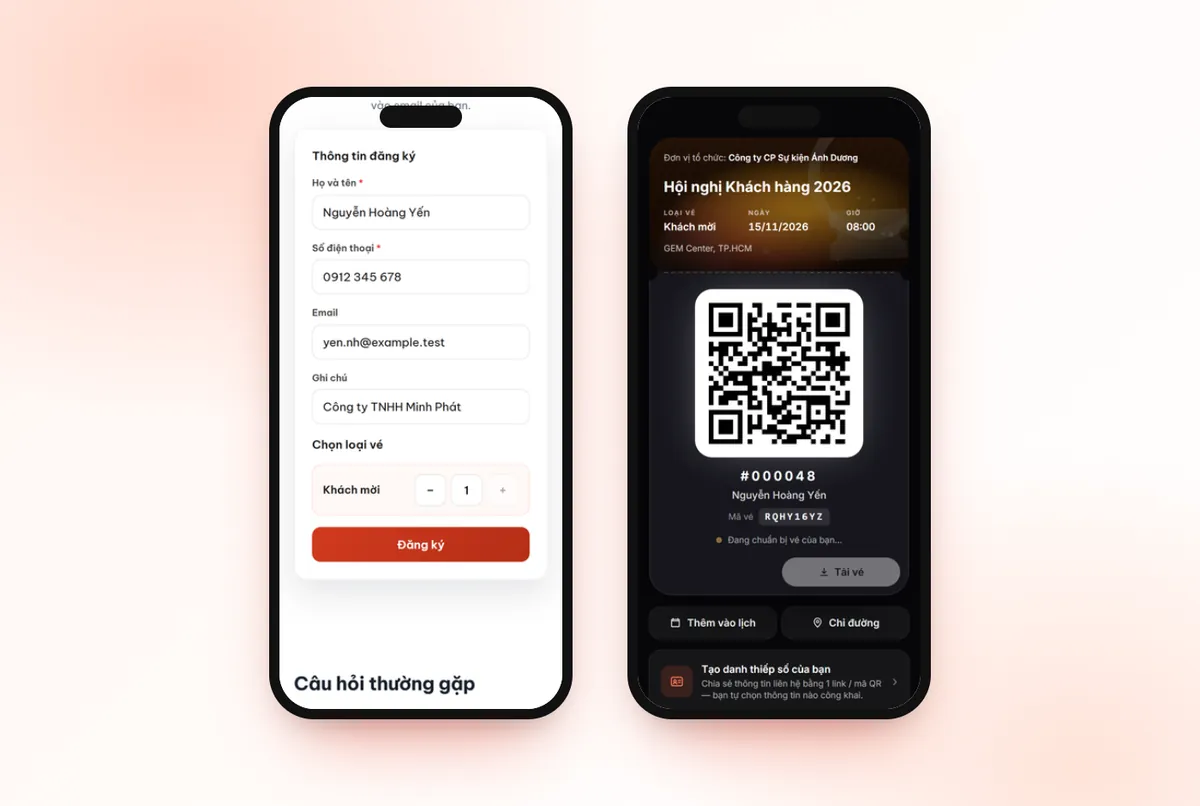
When is Google Form + Excel enough, with no need for a ticketing platform?
Google Form + Excel is enough when your job ends at collecting a list. If your program matches most of the points below, you do not need Tickmi or any ticketing platform:
- Few people, for example under 50, mostly people you know by face.
- No ticket checks at the door: anyone who comes can enter, or just signs a sheet.
- No need to know exactly who came, or a summary after the program is fine.
- Only one general announcement email, with no individual tickets needed.
- Held once, not repeated monthly or quarterly.
In this case, Google Form is free, everyone knows how to use it, and it takes minutes to set up. Adding a tool only costs you learning time.
What does Google Form + Excel lack when the program gets bigger?
Google Form only collects data; every step after that you do by hand in Excel. The time-consuming part is not the form but the chain of tasks behind it:
- Filtering duplicate registrants, fixing wrong emails and phone numbers.
- Approving each person if the program has limited seats.
- Creating a ticket code for each person, if you want to check tickets.
- Writing and sending confirmation emails, then answering people who say “I didn't receive the email”.
- Printing the list, matching names at the door, marking those who arrived.
- Merging lists from multiple doors to know the total who came.
Hypothetical example: a 400-person program, where each step above takes a few seconds to a few minutes per person. Added up, the team can lose an entire day, and typing mistakes are hard to detect until the attendee is standing at the door.
Comparing Google Form + Excel and a ticketing platform, criterion by criterion
The biggest difference is each person's own ticket code and ticket checks at the door; at the registration collection step, the two are almost equal.
| Criterion | Google Form + Excel | Ticketing platform (for example Tickmi) |
|---|---|---|
| Cost to start | Free | Usually paid; Tickmi has 100 free ticket issuance quota |
| Creating a registration form | Minutes, generic look | Branded registration page, choice of ticket type, limit on tickets per registration |
| Approving registrants | Manual filtering in a spreadsheet | Auto-approve or approve one by one, bulk approval |
| A ticket code per person | Not built in, must be created with another tool | One QR code and one ticket code per person |
| Bulk ticket delivery | Mail merge or manual sending, easily hits sending limits | Automatic ticket emails, see which tickets failed to send, resend |
| Check-in at the door | Match names on paper or a spreadsheet | Scan codes with the app, self check-in station or barcode reader |
| Duplicate scan prevention | Hard to detect, especially with multiple doors | A ticket already checked in is flagged as used when scanned again |
| On-site statistics | Merge lists after the program | The checked-in count updates with each scan, viewable by scan source |
| Learning the tool | Almost none | Need to get familiar with ticket products, ticket types, ticket templates |
The first two rows and the last row are where Google Form + Excel wins. If your program does not need the rows in the middle, just use the form.
Signs you should switch from Google Form to a ticketing platform
You should switch when the manual work behind the form starts to affect attendees' experience. Common signs:
- You need to control entry: only ticket holders get in, and one ticket enters once.
- The list runs to hundreds of people, or has several ticket types (guests, VIP, press).
- Every day someone reports not receiving the email and you must resend by hand.
- Leadership asks “how many have arrived” and you can only answer at the end of the session.
- You run several programs a year and repeat the same chain of manual tasks.
Once you recognize a few of these signs, event management software that brings registration, tickets, check-in and reports into one list will save more work than stitching together several tools.
Is it hard to switch from Google Form + Excel to Tickmi?
It is not hard, and you do not have to discard the data you have. A list collected from Google Form goes into Tickmi through an Excel file in these steps:
- Create a ticket product and ticket types.
- Export the Google Form responses to a spreadsheet and download it as Excel.
- In the attendees tab, click Import attendees, copy the data into the template file and upload it.
- Issue tickets: each person receives their own QR ticket by email.
- On event day, use the app or a self check-in station to scan tickets.
Note: Excel import only adds new people and does not update information for people already in the list. To correct an existing person's information, edit it directly in Tickmi. From the next program on, you can drop the form step entirely with Tickmi's online registration page: attendees register themselves and receive tickets, with no data-copying step. The ticket delivery steps are illustrated in the guide to sending QR tickets in bulk by email.
Common mistakes when managing registrations with Google Form + Excel
- Letting several people edit one Excel file and overwrite each other's saves, losing rows without anyone knowing.
- Not enforcing the email format in the form, so wrong emails only surface when tickets are sent.
- Sharing the spreadsheet link publicly, exposing attendees' personal information.
- Each door keeping its own printed list, so the same person can enter twice without anyone noticing.
- Switching tools close to the event date, leaving no time to test-send tickets and let the check-in team practice scanning.
Checklist for choosing Google Form or a ticketing platform
- Do you check tickets at the door? No: Google Form is enough. Yes: you need a ticket code for each person.
- Are there multiple doors or several check-in staff at once? You need a shared duplicate-scan prevention system.
- Do you need to know how many have arrived during the program? You need statistics by scan.
- Sending tickets to hundreds of people? You need to track tickets that failed to send and resend them.
- Who may export the list? On Tickmi, data export is only for the Owner and Administrators.
If you have already decided to use a platform and are comparing providers, see criteria for choosing ticketing and check-in software. On cost, Tickmi has two options: a per-event package for programs that do not sell tickets (priced by the maximum number of attendees, for 01 ticket product), and a pay-as-you-go quota package priced by ticket issuance quota, with quota that does not expire. Programs that sell tickets through Tickmi are only charged a ticket sales fee. You can start with 100 free ticket issuance quota, and see the full ticket scanning workflow at Tickmi's check-in software.
@@ABOUT@@Frequently asked questions
Does a small program need a ticketing platform?
Not necessarily. If it is only a few dozen people, with no ticket checks at the door and no need to know exactly who came, Google Form + Excel is enough and free.
Can Google Form create a unique QR code for each registrant?
Google Form does not create a separate ticket code for each person. You must use another tool to create codes and send them to each person, and you still need a way to scan and match codes at the door.
Can I bring a list from Google Form into Tickmi?
Yes. Export the form responses to a spreadsheet, download it as Excel, copy it into the template file and use Import attendees. Excel import only adds new people and does not update existing ones.
Does check-in with an Excel list prevent one person from entering twice?
It is very hard, especially when several doors hold several copies of the list. A ticketing platform stores check-in status in one shared place, so a used ticket scanned again is flagged immediately.
Does trying Tickmi cost anything?
Tickmi has 100 free ticket issuance quota so you can try registration, ticket delivery and check-in. Detailed pricing is on the pricing page.
Issue QR tickets, send emails, check in and engage attendees on one platform.