
Knowledge
Build your own ticketing system or use a ready-made platform?
Building your own ticketing system is only worth it when tickets are tightly tied to your core systems or the data must not leave your internal infrastructure. Outside those two cases, using a ready-made ticketing platform like Tickmi is usually faster and less risky, because the hard part is not generating QR codes but sending tickets, scanning in crowds and protecting data. This article lists the work that is often underestimated so you can weigh it yourself.
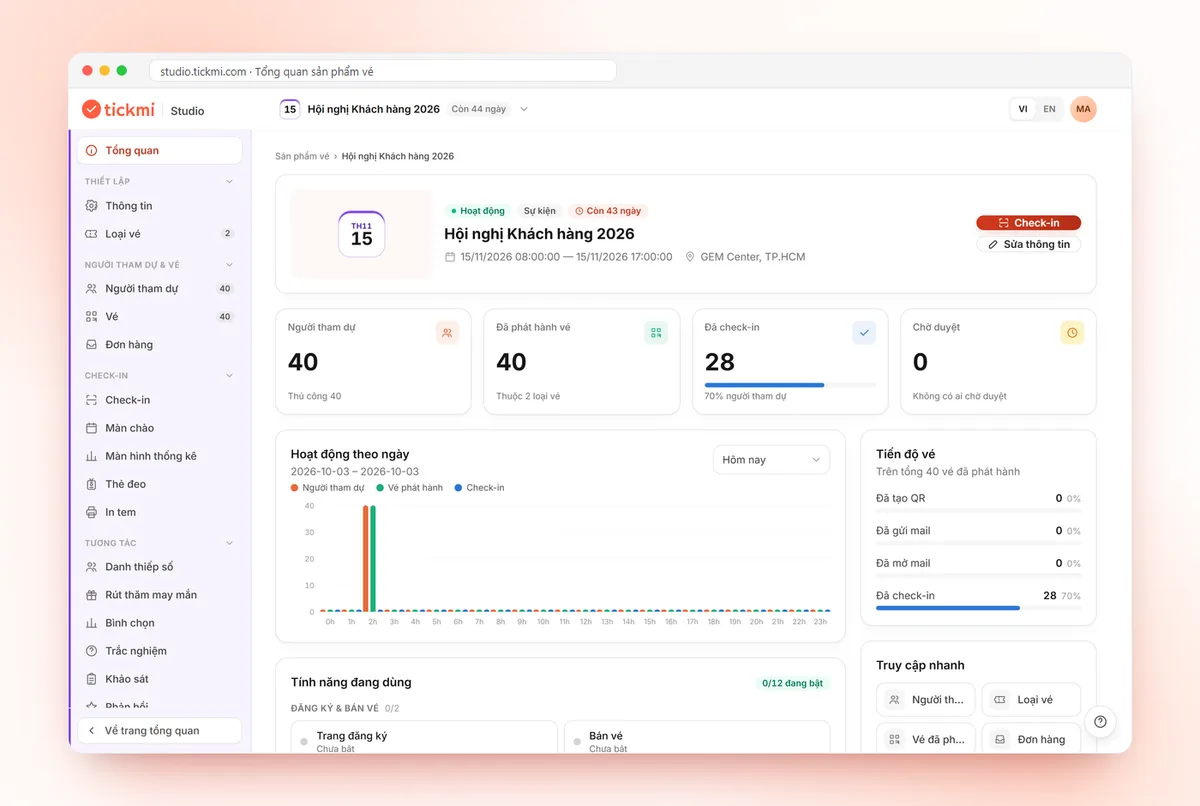
Which parts are easy and which are hard when building your own ticketing system?
Generating QR codes and storing a list is the easy part, which a developer can do in a few days. The time-consuming part is everything around it, and it usually only shows up once real attendees arrive.
The easy part: generating QR codes, storing the list, a simple web page for scanning codes.
The hard and often underestimated parts:
- Sending thousands of emails that stay out of spam: configuring the sending domain, handling bounced mail, mistyped emails and resending on failure.
- Branded ticket design: personalizing for each person, Vietnamese fonts, multi-page tickets, printability.
- Scanning apps for iOS and Android: working when offline and re-syncing without recording duplicate check-ins.
- Handling load in a crowd: many scanning gates at once, where a used ticket must be flagged immediately at every gate.
- Security and permissions: ticket-checking staff shouldn't be able to view or export all personal data.
- Payments if you sell tickets: holding seats during payment, reconciliation, refunds.
Building vs using a ready-made platform
Building gives you full control, in exchange for time and operating responsibility. A ready-made platform is usable right away, in exchange for following the provider's way of doing things. The table below compares them on the same criteria.
| Criterion | Build your own | Ready-made platform |
|---|---|---|
| Time to a usable product | Usually a few months for a workable version | Usable as soon as you have an account |
| Cost | Development staff, testing, servers, email sending service | Per-event plans or ticket issuance quota plans |
| Maintenance | Your internal team handles it, even the night before the event | The provider updates it; you depend on their roadmap |
| Features | Only what you build yourself | Many things ready-made, but not every detail is customizable |
| Data control | Entirely on your infrastructure | On the provider's infrastructure, exportable when needed |
| Event-day risk | The first bug you ever see appears exactly when it's crowded | Depends on the provider's stability; run a trial first |
When should you build your own ticketing system?
Building is reasonable when tickets are part of a core system or there are data constraints that an outside platform can't meet. Common cases:
- Tickets tied to membership cards, e-wallets or your own core software, for example an amusement park integrated with hardware ticket gates.
- Industry regulations require data not to leave your internal infrastructure.
- You run very large events continuously, with your own technical team ready to be on call every time.
If your program is a conference, seminar, training, company party or festival with advance registration, the constraints above rarely apply.
Which parts does a ready-made ticketing platform take care of?
A good ticketing platform takes care of all the hard parts above so your team can focus on the program content. Taking Tickmi as an example:
- Sending tickets: bulk email from the organization's own domain, failed sends automatically retried up to 5 times, detection of mistyped emails, resending when needed. There is also a Zalo ZNS channel.
- Design: a drag-and-drop ticket designer, Vietnamese fonts, and insertion of each attendee's information.
- Check-in: the Tickmi Studio app scans QR codes or barcodes, scans offline and syncs automatically, and a used ticket scanned again is flagged.
- Permissions: three roles, Owner, Admin and Check-in staff; only the Owner and Admins can export data; there is an option to hide sensitive data when scanning.
- Extensions: self check-in kiosks, badges, lucky draw, voting; ticket sales with revenue, reconciliation and refunds.
On cost, Tickmi has per-event plans for programs that don't sell tickets (chosen by maximum number of attendees, including the corresponding ticket issuance quota, applying to 1 ticket product) and pay-as-you-go ticket issuance quota plans, where quota does not expire. Programs that sell tickets through Tickmi are charged only a ticket-sales fee. See pricing.
The list of stages a platform like Tickmi takes on is on the event management software page.
What steps to follow when evaluating build vs platform?
Decide with a real program, not by gut feeling. Suggested steps:
- Write out the process from receiving the list to exporting the report: registration, approval, ticket sending, check-in, statistics.
- Mark which steps must be tied to internal systems. If none are, lean toward a ready-made platform.
- Estimate the build effort for each step, including testing and on-call on event day. For example: a 2-person team estimates 3 months for a first version, not counting the iOS app.
- Trial the platform on a small program: import the list, send tickets to your own team, and test scanning even with the network off.
- Check the exit: if you can export the list and check-in status to Excel, your data is not locked in at the provider.
A detailed criteria table for scoring providers is in criteria for choosing ticketing and check-in software.
Common mistakes when deciding to build
- Only estimating the QR generation part. Email sending and the scanning app usually take far more effort.
- Not planning for when the network drops. Halls, basements and outdoor yards often lose signal. See check-in when the network is down.
- Sending email from a self-hosted server. Messages easily land in spam if the domain is not configured correctly. See keeping ticket emails out of spam.
- No one on call on event day. A developer taking leave exactly that day is a real risk.
- Choosing a platform without trying it. Run a trial on a small program first.
See the overview of Tickmi's check-in software and how offline check-in and automatic sync work.
About Tickmi
Tickmi is a ticketing and attendee experience platform (Ticketing & Participant Experience Platform). On one unified attendee dataset, Tickmi connects the whole journey: issuing invitation, registration and paid tickets, sending branded QR tickets, check-in by app, kiosk or scanner — even offline — then the welcome screen, lucky draw, voting, quizzes and surveys. Tickmi is trusted by organisations such as Viettel, VNPT, MobiFone, FPT and CMC. Learn about Tickmi or try it free.
Frequently asked questions
If I use a ready-made platform, who owns the attendee data?
It belongs to your organization. On Tickmi, Owners and Admins can export the attendee list to Excel, including status and check-in columns.
Can I customize the interface to my brand?
Yes: ticket templates, emails, registration pages, welcome screens and badges can all be designed to your own identity, with Vietnamese fonts.
How long does it take to build a ticketing system yourself?
The QR generation part takes only a few days, but a workable version with bulk email sending, an offline scanning app and permissions usually takes a few months, not counting payments if you sell tickets.
When is building your own the right choice?
When tickets are tightly tied to your own core system, or regulations require data not to leave internal infrastructure, and you have a technical team on call every time the event runs.
Can a ready-made platform check in when the network is down?
It depends on the platform. The Tickmi Studio app still scans when the network is down; scans are stored and sync automatically when the network is back.
Issue QR tickets, send emails, check in and engage attendees on one platform.