
Knowledge
Check-in by face recognition or QR code: compare to choose the right one for your program
Face check-in sounds modern and impressive, while QR codes are familiar. But the choice should depend on headcount, preparation time, equipment and the data you are allowed to collect, not on how "high-tech" it looks. This article compares the two methods criterion by criterion and suggests when to use each.
How the two methods work
QR code check-in: each attendee receives a ticket with a unique QR code (by email or printed). At the gate, staff or a kiosk scans the code, and the system checks that the ticket is valid and records the check-in.
Face check-in: attendees submit a portrait photo in advance (at registration), and the system creates face data. At the gate, a camera recognizes the person and matches them against the list to confirm who they are.
The core difference: a QR code confirms the ticket, a face confirms the person. Every pro and con below comes from this difference.
Face vs QR code check-in, criterion by criterion
| Criterion | QR code | Face |
|---|---|---|
| Data preparation | Only a list (name, email). Tickets are created automatically | A good-quality portrait photo of each person, which must be collected in advance |
| Equipment at the gate | Phone, handheld scanner or tablet | Dedicated camera or kiosk, needs stable lighting |
| People without a ticket | Search by name or enter the ticket code | Nothing to carry, if the registration photo is good |
| Preventing ticket transfer | A ticket can be passed to someone else; to be strict you must also check ID | Strong: only the right person gets through |
| On-site registrants | Register on a phone and receive a QR ticket immediately | Must take a photo and wait for the system to process it |
| Privacy | Ordinary contact data | Biometric data, sensitive, requires clear consent |
| No internet | Many systems support offline scanning | Depends on each provider's implementation |
| Impression | Familiar | Impressive, suits programs that want to showcase technology |
When to choose QR code check-in
- Many people register close to the day or on site. Open seminars, festivals, workshops: there is no time to collect each person's photo.
- Diverse attendees who are not tech-savvy. Parents, older guests, company representatives: everyone knows how to open an email and show a code.
- Limited equipment budget. The reception team's phones are enough; add scanners or kiosks when it gets crowded.
- You don't want to handle biometric data. Less legal risk and fewer questions from attendees.
When face check-in is worth considering
- A fixed list known well in advance. Internal conferences, congresses with defined delegates, where you lawfully hold a photo of each person.
- A strict "right person" requirement. Programs with VIP guests, restricted areas, or past problems with ticket transfers.
- You want a high-tech experience and have budget for equipment and on-site technical staff.
Note: portrait photos and face data are sensitive personal data under Decree 13/2023/ND-CP. If you choose this method, consult your legal team about obtaining consent, retention periods and deleting the data. This article is not legal advice.
Combining them: QR as the main method, extra verification where needed
Many programs don't have to choose one or the other. A common approach is to use QR for all attendees, then add a verification step where you need to be strict:
- Show extra information on scan. Let staff see the full name, organization and ticket type on the result screen for a quick check. Sensitive fields such as phone numbers can be partly hidden.
- Separate ticket types by area. VIP, press and guest tickets have their own colors and types; the VIP gate only admits the matching type. See classifying VIP, press and guest tickets.
- Check ID in restricted areas. For example, a shareholder meeting: scan the QR, then check the ID card against the list.
QR check-in with Tickmi
Tickmi does not have face recognition. Tickmi focuses on check-in with QR tickets and barcodes, which suits most conferences, seminars, internal programs and festivals:
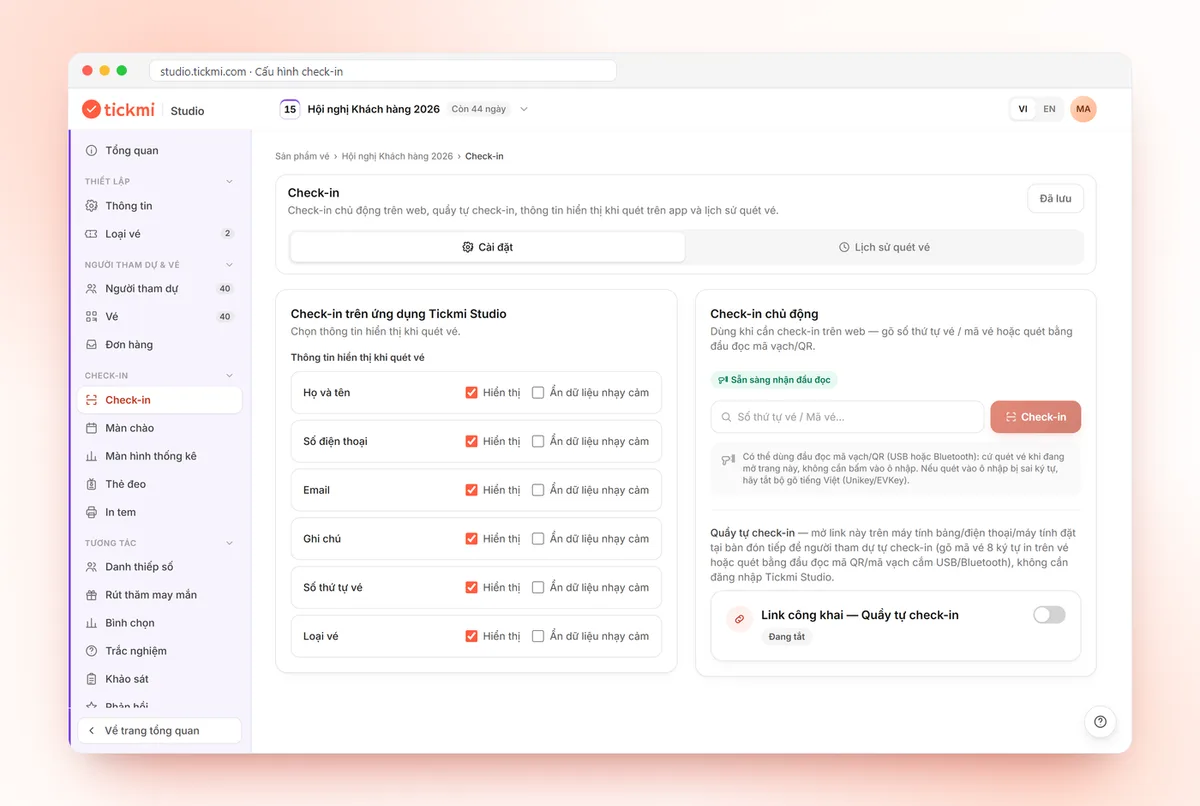
- Scan with the Tickmi Studio app on a phone, even without internet; if someone forgot their ticket, use Enter ticket code or search by name.
- A self check-in kiosk on a tablet so attendees scan by themselves, or a barcode reader plugged into a computer.
- Choose which information is shown on scan and turn on Hide sensitive data for private fields.
Detailed steps are in the guide to check-in with the Tickmi Studio app. If you are also comparing with RFID or paper lists, see comparing QR, RFID and paper-list check-in.
Common mistakes when choosing a check-in method
- Choosing face but collecting photos too late. Many people send blurry photos, group photos or none at all, and on the day you have to fall back to a paper list.
- Choosing QR with no plan for people who forgot their ticket. Always have a help desk that searches by name.
- Not testing in real conditions. Lobby lighting, phone screen brightness and mobile signal all matter. Test at least a day ahead.
- Collecting more data than needed. Only collect data you actually use for reception.
See how Tickmi handles registration, QR tickets and check-in in full at event check-in software.
About Tickmi
Tickmi is a ticketing and attendee experience platform (Ticketing & Participant Experience Platform). On one unified attendee dataset, Tickmi connects the whole journey: issuing invitation, registration and paid tickets, sending branded QR tickets, check-in by app, kiosk or scanner — even offline — then the welcome screen, lucky draw, voting, quizzes and surveys. Tickmi is trusted by organisations such as Viettel, VNPT, MobiFone, FPT and CMC. Learn about Tickmi or try it free.
Frequently asked questions
Is face check-in faster than QR codes?
It depends on the equipment, lighting and the quality of registration photos. Face check-in doesn't require attendees to open a ticket, while QR doesn't require collecting photos in advance. Test in real conditions before deciding.
Does Tickmi support face check-in?
No. Tickmi checks in with QR tickets and barcodes: scanning with the phone app (even offline), self check-in kiosks or barcode readers, and searching by name when an attendee forgot their ticket.
What should I watch out for when collecting attendees' face photos?
This is sensitive personal data under Decree 13/2023/ND-CP. You need clear consent and must state the purpose, retention period and how to delete it. Consult your legal team.
How do I prevent ticket transfer when using QR?
Show the full name and organization on scan to cross-check, separate ticket types by area, and check ID in areas that need to be strict, such as a shareholder meeting or the VIP zone.
Which method should I choose for a seminar with open public registration?
QR codes usually fit better: registrants get their ticket immediately, even when registering on site, and you don't have to handle biometric data.
Issue QR tickets, send emails, check in and engage attendees on one platform.