
Knowledge
Comparing event check-in methods: paper, QR, RFID, face recognition
Each check-in method differs in cost, speed and accuracy. This article compares four common approaches so you can choose the right one for your scale and budget.
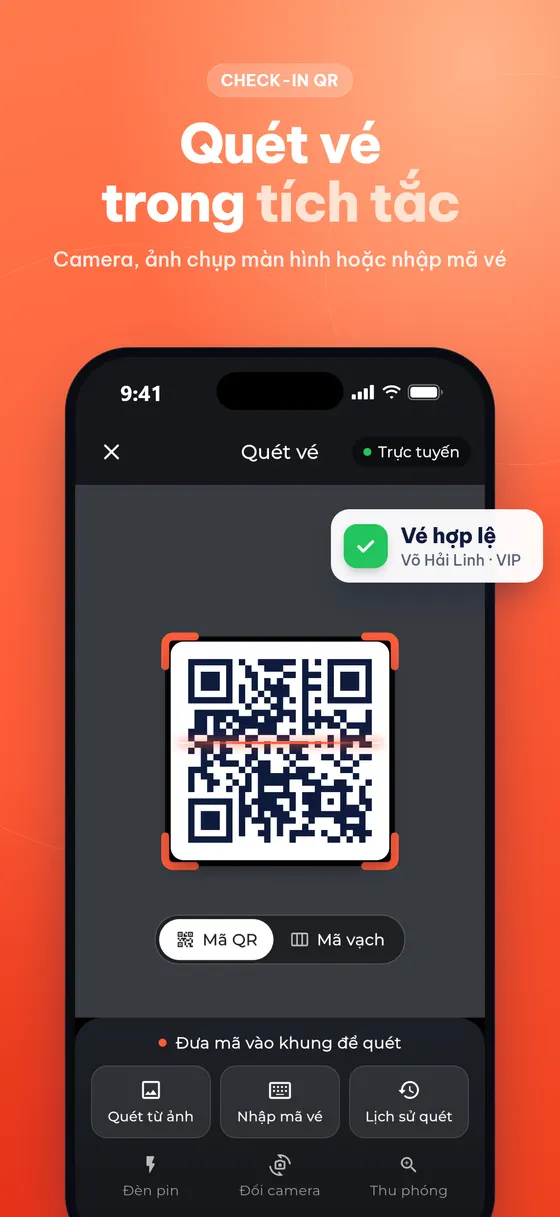
Four common check-in methods
When welcoming attendees, organizers usually choose one of four methods: checking a paper list or Excel, scanning a QR code / barcode, tapping an NFC/RFID card, or face recognition. There is no best option for every case; what matters is matching your scale, budget and the level of control you need.
Paper list or Excel
Staff ask for a name and then look it up on paper or search an Excel file, marking those who have arrived.
- Pros: almost no cost, no technical preparation needed.
- Cons: slow when crowded, easy to confuse people with the same name, hard to split across several desks because each desk holds its own copy, and numbers are only available after consolidation.
- Suited to: small groups, attendees who know each other, no need for statistics.
QR code and barcode
Each person receives a ticket with a unique code; staff scan it with a phone or a barcode scanner, or attendees scan it themselves at a kiosk.
- Pros: fast, accurate, common devices, many desks share one set of data, real-time statistics, and reused tickets can be blocked.
- Cons: tickets must be sent in advance; people who forget their ticket need a backup way to be looked up.
- Suited to: most conferences, seminars, ticketed events, training and corporate events.
NFC / RFID
Attendees receive a card or wristband with a chip and tap it on a reader to enter.
- Pros: very fast taps, harder to copy than a printed code, can be used to control several areas or for cashless payments.
- Cons: cards/wristbands must be produced and handed out beforehand, dedicated readers are needed, and cost and preparation time are higher.
- Suited to: multi-day festivals, areas with constant entry and exit, events with a large budget.
Face recognition
Attendees register a photo beforehand; a camera recognizes them and lets them through.
- Pros: no need to carry a ticket, a "hands-free" experience.
- Cons: requires collecting photos and consent to process biometric data, depends on lighting and equipment, and still needs a backup plan.
- Suited to: premium events, fixed groups of attendees who have agreed to provide photos.
Quick comparison table
| Criterion | Paper / Excel | QR / barcode | NFC / RFID | Face recognition |
|---|---|---|---|---|
| Equipment cost | Very low | Low (phones, scanners) | High (chip cards, readers) | High (cameras, software) |
| Advance preparation | Print the list | Send e-tickets | Produce and hand out cards | Collect photos, get consent |
| Speed per person | Slow | Fast | Very fast | Fast in good conditions |
| Accuracy | Depends on people | High | High | Depends on lighting, equipment |
| Blocks reuse | Hard | Yes | Yes | Yes |
| Real-time statistics | No | Yes | Yes | Yes |
| Personal data concerns | Low | Low | Low | High (biometrics) |
Which method should you choose?
- A few dozen people who know each other: a list is enough, but use a shared file rather than paper.
- A few dozen to a few thousand people, with numbers needed: QR code is a good balance of cost, speed and accuracy.
- Many days, many areas, constant entry and exit: consider RFID if the budget allows.
- A premium experience, a fixed group: face recognition, with a QR backup plan.
Whichever you choose, always have a backup plan: search by name or short code at the desk for people who forgot their ticket, and an offline mode for when the network drops.
Factors often overlooked when comparing
The attendee experience
Speed per person is only part of it. Attendees also care about how easy it is to get the ticket, whether they must install another app, and what happens if they forget their ticket. A QR sent by email requires nothing extra from attendees; RFID requires picking up a card beforehand; face recognition requires submitting a photo.
Scaling on the spot
When an unexpected queue builds up, you need to open more fast lanes. With QR, you just add one more phone with the app installed. With RFID or face recognition cameras, the number of readers is usually fixed in advance.
Data after the event
Electronic methods let you know who came, when, and through which desk. This data is useful for assessing attendance rates, preparing staffing for next time and following up with attendees.
The backup plan
Every electronic method depends on devices and the network. Ask the provider: how do you scan when the network drops, how does the data sync, and are duplicates detected.
QR and barcode check-in with Tickmi
Tickmi focuses on QR code and barcode check-in: scanning with the Tickmi Studio phone app, a barcode scanner, or a kiosk for attendees to check themselves in; with lookup by Ticket code, offline scanning and a statistics screen. Tickmi currently does not offer RFID or face recognition check-in.
- QR code check-in · Event check-in software · Check-in kiosk
- Check-in with the Tickmi Studio app
- Check-in gate and barcode scanner
- Calculating check-in staff and lanes
Frequently asked questions
Is QR check-in as fast as RFID?
RFID taps are usually a little faster, but QR is fast enough for most events and needs no chip card production.
Does Tickmi support RFID or face recognition?
No. Tickmi supports check-in with QR codes and barcodes through the phone app, barcode scanners and kiosks.
Can I combine several check-in methods?
Yes. A common approach is QR scanning as the main method, keeping lookup by name or short code at the desk for people who forgot their ticket.
Issue QR tickets, send emails, check in and engage attendees on one platform.