
Knowledge
Conference badges: choosing the size, content and printing method
A badge identifies attendees, controls access to areas and makes a professional impression. This article covers common sizes, what to print and how to put it into practice.
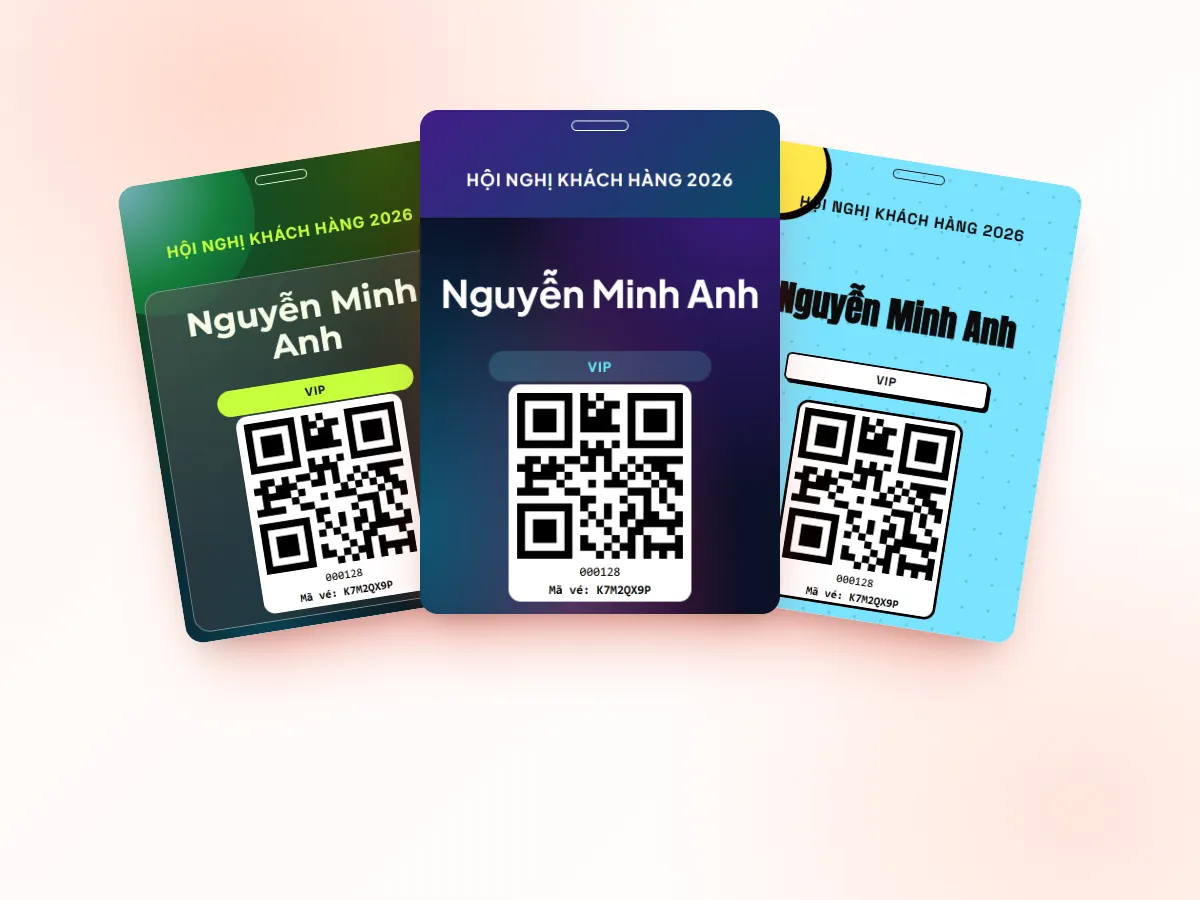
What are badges used for?
- Identification: attendees and staff know each other's names and organizations.
- Access control: tell VIPs, speakers, press and staff apart to control areas.
- Proof of check-in: a person wearing a badge has been through the door.
- Branding: the logo, event colors and sponsors.
Common badge sizes
| Size | Dimensions | Characteristics | Suitable for |
|---|---|---|---|
| CR80 plastic card (portrait/landscape) | 54 × 86 mm | Same as a bank card, printed with a plastic card printer, durable | Staff, multi-day events, reusable badges |
| 90 × 130 badge holder | 90 × 130 mm | Printed paper placed in a plastic holder | Seminars, general conferences |
| 100 × 140 badge holder | 100 × 140 mm | Large area, names easy to read from a distance | Conferences, exhibitions |
| A6 | 105 × 148 mm | Printed with an office printer, several badges can be laid out on one A4 sheet | Large badges, lots of information, bulk printing |
Larger sizes are easier to read but need a matching holder; the CR80 size is compact and durable but leaves little room for text.
What to print on the badge
- Attendee name – the largest font size, readable at conversation distance.
- Organization / job title – a smaller size.
- Ticket type / role – VIP, Speaker, Press, Organizer.
- QR code – for session check-in, area entry or quick lookup.
- Event name, logo and sponsors if any.
Avoid cramming in too much text. If the badge is double-sided, the back can carry the schedule, a map or wifi details; print the name on both sides because badges often flip over.
Color-coding by ticket type
Color lets security staff identify people from a distance without reading text:
- Use a different color band or background for each ticket type.
- Limit the number of colors, choose colors that are easy to tell apart, and add text stating the ticket type for people who have trouble distinguishing colors.
- You can match lanyard color with badge color.
Print ahead or print on site?
| Print ahead | Print on site at check-in | |
|---|---|---|
| Advantages | Proactive, bulk printing at a print shop | Prints only for people who actually come, information is always up to date |
| Disadvantages | Finding the right badge in a stack, wasted badges for absentees, hard to correct mistakes | Needs a printer at the desk, adds time to each entry |
| Suitable for | Fixed lists with few changes | Lists that change, with late registrants |
Many events combine both: print ahead for VIPs and speakers; print on site for the rest of the attendees.
Lanyards and holders
- Holders: pick the right size for the badge; rigid plastic holders are more durable, soft ones are cheaper.
- Lanyards: can be printed with a logo; metal or plastic clips depending on budget.
- Double-sided badges should use a two-clip lanyard to limit flipping.
- Prepare spare blank badges and holders for unexpected cases.
Tips for designing readable badges
- The name is the star: prioritize the preferred name, and you can print the first name large and the surname smaller for quick reading.
- Simple font: choose a sans-serif font of medium weight; avoid decorative fonts that are hard to read.
- Handling long names: test beforehand with the longest name in the list so text does not overflow or get cut.
- Empty area for the punch hole: leave space at the top if the badge needs to be punched or clipped.
- Print a test first: print a few real badges, put them in holders, wear them and look from arm's length.
Designing and printing badges with Tickmi
Tickmi lets you design single-sided or double-sided badges at exact millimeter sizes, including CR80 portrait/landscape, 90 × 130 and 100 × 140 badge holders, and A6; attendee data and QR codes are filled in automatically. When printing, you can choose a card printer or A4 paper with an office printer.
- Print badges
- Guide to printing labels and badges
- Ticket design and template library
- Check-in desk checklist
Frequently asked questions
What is the most common badge size?
The CR80 plastic card at 54 × 86 mm for durable badges, and badge holder sizes such as 90 × 130 or 100 × 140 mm for conferences and seminars.
Do I need a plastic card printer?
Only if you use the CR80 size on plastic blanks. Larger sizes can be printed on paper with an office printer and put into badge holders.
Should I print a QR code on the badge?
Yes, if you need to scan into sessions or areas or do quick lookups. Place the code where it is easy to scan and does not cover the name.
Issue QR tickets, send emails, check in and engage attendees on one platform.